Full time babysitter, pet-sitter, and job-seeker. And yet, also a full time writer. Frequent fantasy writer, occasional scifi writer, would-be Doctor Who writer. And now a published writer!
Somehow, despite me being one of those people who takes forever and a day to write product reviews (really need to work on that, especially since half the purpose of keeping this site going is specifically book reviews–with the ulterior motive of hoping people buy them through my affiliate link, of course), what reviews I have posted to Amazon have been “trusted” enough by whatever standards the algorithm set to invite me to be a Vine Voice.
My name on Amazon is the same as my site here, so in deference to the “vendors are not allowed to contact me,” it wouldn’t exactly be hard to track down my website on that basis if someone were inclined to violate the TOS (and would be equally “not hard” for Amazon to find out), so after a quick re-read of the TOS and the fact that I’ve seen other people blogging about their experiences I don’t think it’s some big secret that I’m not suppose to blog about. Besides, if I do start reviewing Vine products on my personal website (also requiring an extra trip through the TOS to see if that’s allowed) I’d have to point out that the products were “free” in exchange for a review anyway.
Ah, that “free.” There’s a reason that’s in quotes.
See, while the products will be free in the sense of me not having to buy them outright, their fair market value counts as taxable income. So while I don’t expect to be one of those prolific Vine Voices who has packages shipped to me every week, I would still have to pay attention and not request too much free stuff… depending on how much stuff Amazon lets me order, in theory I could easily eat away my entire tax refund and then some by doing this, with absolutely no recourse to getting that money back if I am not allowed to sell the stuff afterwards (I’m hearing mixed messages on that one)… or in my case, even if I am allowed since I simply do not have the storage capacity necessary to hang onto everything in the hopes someone will buy it from me. (Some of you might remember my “if I could sell just one thing” posts that eventually led to me donating huge collectibles to the local thrift store because reclaiming the space became higher priority than making money from them.)
But here’s hoping I’ll eventually be able to start acquiring stuff I can review that fits the intended theme of this site, be it the book reviews or gaming accessories… or even stuff I would eventually have bought anyway.
Anywho, the relevant parts of the TOS:
for six months following your order of any Vine Product, not sell or give possession of that Product to any other person;
Seems to imply that, following the period of six months, that product would in fact be mine to give away or sell as I choose.
Same with this:
All right, title and interest in Vine Products will pass to you when the Amazon Product is delivered to the common carrier for delivery to you.
I mean, if all rights etc are passed to me that seems pretty clear that it would be my property to transfer ownership to anyone else as I see fit. (Ignoring the “six months” requirement which means those rights really aren’t transferred to me until the six months are up.)
But this line
You may keep or destroy the Vine Product at your discretion at any time
makes no mention of granting me the ability to transfer ownership to other people… and some versions of the TOS, from what I’ve seen on other people blogging about it, explicitly say you cannot do so. I mean, I could understand why Amazon would forbid this in indeed they are still forbidding it–the whole point of the reviews is to get more people to buy the products, after all–but the very fact that they would forbid it means they are in fact not transferring all rights etc to the Vine member.
As far as reviewing about the Vine products on this site, this appears to be the line in question:
not submit any reviews of a Vine Product to any other online or offline channel that advertises or offers the Vine Product for sale except in the form of a link to a website operated by Amazon or its affiliates;
This is a website operated by an Affiliate, assuming assuming they’re referring to affiliate members and not Amazon-owned websites; if they’re not, writing reviews with an affiliate link to the Amazon product page is still the only way I would “advertise or offer Vine Products for sale.” Sounds like reviewing the products here is acceptable, yes?
Anybody out there fluent in legalese–or familiar with Vine’s (current) operating practice–who could confirm or my deny my interpretation of these clauses?
Probably still a bit premature on that title, what with the whole “thinking I’ve fixed a problem that occurs randomly just because it didn’t happen this time” fallacy. 😅
But even for a single video this has been better than my other options when they did work.
Can use in conjunction with another capture card? Check.
Picture and sound quality worth the struggle instead of going back to my old webcam? Check.
Honestly the only technical problem I had this time around was the Genki deciding it didn’t feel like transmitting sound… but now that I’ve found the setting to “not mute the Switch when it’s connected to a TV” and the setting to not automatically turn the volume halfway down when “headphones” are plugged in, the game audio came across well enough for my liking. I’m kind of thinking I’ll just keep it that way in future recordings. My biggest hesitation on buying a Cam Link for all this time was solely knowing that the brand in general is expensive… but this particular product was cheaper than the Razer I’d tried and immediately returned, so as long as I don’t ever need to buy yet another capture card (knock on wood) I’m still coming out better than in a prior experiment.
Now that I (fingers crossed) have that issue sorted I’m almost tempted to make the GoPro clip my next related investment so I can attach it to my monitor instead of having to keep relocating (and repositioning) every time I need to switch between using the computer and recording this way, but… well, the only question is whether that’s going to be an issue vis a vis picking the sound of the computer. I didn’t notice it in the latest footage, but then, I also didn’t notice it while playing so there wasn’t exactly a lot of unwanted noise to compare to.
And the fan noise was part of the draw of going with the desk clamp if I remember right. I might be able to just clamp it onto a different part of my desk but the planned decluttering will eventually limit my options… unless I have room enough to put one of those cube organizers next to my desk.
Anywho, the video evidence of my latest experiment and hopefully the next step in getting myself to play these games on the regular:
As far as hardware experimentation goes, the video was supposed to go up on Monday but a massive migraine had me spending most of the day in bed with ice packs on my head and neck (which, in full “my body hates me” mode, may have been a combination of the Asiago bagel I’d had for breakfast–being unaware at the time that asiago and yeast both contain the “common trigger” that is tyramine and not expecting a bad reaction when I’ve eaten these things before without trouble–and the fact that, due to not being hungry, I hadn’t bothered eating lunch), so I didn’t feel up to even touching the computer until evening.
Got it livestreamed to Twitch but then I put off making the edits that would allow me to account for the fact that I plan to use both systems… not to mention to make my intro/outro more consistent with how I preferred doing things before I’d gotten it into my head to use the 360-degree-camera and its lack of editing options.
In other news I seem to have gained a few inches back while I was busy figuring out my tech problems, judging from the fit of my clothes. (The 34-waist work pants are still loose enough to prefer, if not actually need, to wear them with a belt but they are no longer simply “loose.”)
Given recent changes in my eating habits, I’d say it’s either from getting back in the bad habit of eating too much candy (I’ve got a “see food” diet thing going on here, where if we don’t have candy in the house, I don’t miss it enough to buy any, but if we do have it I have to exercise self-control to keep from eating most of a family-size bag of Reese’s in one sitting), or my appetite has finally started to improve without me noticing.
*eats a banana and half a cup of milk for lunch, half an hour later my gut is complaining that I ate too much*
I’m assuming it’s the candy.
Suggested products in use (because even with the problems I’m facing, these are some good products depending on what they’re being used for), Amazon Affiliate links included where possible:
So much for attempting to reboot my “regular schedule” plan on Monday. Forgot to charge the batteries in my GoPro since the last time I used it and my actual webcam just isn’t as good a camera, so I effectively had no webcam for a while. (Just bought a couple of spare batteries and the dual battery charger–which I need anyway for when I start riding the motorcycle again–courtesy of a bonus cash back offer on one of my credit cards.)
But after several different tests (and getting the title for five days in a row in Ring Fit Adventure vis a vis playing it at night when I get home from work–on my way to the ten days in a row title, after which point I think I’ll start swapping VR and Zombies Run/homefront stuff back in) and determining that each of my capture cards (the Genki I bought last year and the Vivitar I bought recently) did a great job of transmitting data, I was all set to start streaming today… only to discover that I can’t use both cards at the same time.
This isn’t even an OBS problem, though most of my search results insist on pointing me that way, it’s a problem on the computer–if I connect the GoPro in HDMI mode first, the Genki’s own app will absolutely refuse to acknowledge that my game console is even transmitting (which doesn’t stop the Switch from going blank because it’s connected to a display, go figure), whereas if I connect the game console first the Vivitar refuses to report anything from the GoPro.
So VR non-console recording it is until I can figure this out. I tried googling it but right now I’m mostly getting stuff about software that the Elgato needs in order to run two of that brand… which I don’t have because they’re a hell of a lot pricier than the other options I went for.
Or finally getting my rear in gear and learning to edit better and just recording what I’m doing IRL and adding it to the footage… but that means no livestreaming, which means no further work on Twitch (short of faking it out like I did with my first Doctor Who video) until I’ve found a resolution.
Hindsight being 20/20 I’m now wondering if this is the problem I was having with the Razer and not simply the device being “temperamental.”
As OBS detected it long enough to add it before refusing to acknowledge it in the preview image I think probably not… but I just don’t know.
Thanks to the Razer capture card’s, er, “temperamental” nature (as described by another user when I asked about the issues I was having) I opted to return it for a refund and instead bought a $20 Vivitar sold in my place of employment’s camera department, albeit with an interest in trying something like the Razer again after I’ve bought a newer computer.
Near as I can tell, the Vivitar works like a charm. What it doesn’t do is offer a preview image outside of the context of OBS the way the Genki does. This isn’t an issue for recording, but if I’m going to make good on my plan to exercise more even when I’m not recording (like doing those weekly Wii Fit tests that I keep forgetting, or playing Ring Fit on a daily basis at least until I’ve gotten the “play 10 days in a row” achievement, instead of relying exclusively on Beat Saber and Zombies Run), I’m going to need to swap my cards back around–and resize, crop, etc, everything within OBS as a result–so I’ve got the entire monitor to see what’s going on in game. And somewhere along the lines I’ve managed to generate a lot of cords all over the desk that I’m trying to clear off, so I’ll try to take care of that as part of the swap.
And speaking of those cords, at some point I’ll need to make another go at using my Quest via PCVR and see if that one motion sensor I bought actually works the way I assumed it was meant to when I bought it way back when. Far too late to return it if it doesn’t, but maybe someone on eBay will be interested if I find out I have no use for it.
I’ll also need to gradually add other things to eBay, both for decluttering purposes–despite my best efforts things are ending up all over my floor again–and for “I wonder if this’ll sell for enough to take a chunk out of my student loan” purposes. (Or at least sell enough to be worth shipping it out versus taking it to the thrift store.)
See, the other day my parents decided to start clearing out the attic and we found a lot of old toys and such that we’d forgotten about, ranging from random things mine that I played with as a kid to beanie babies I collected as collectibles or that my dad inherited from his father. And while I’m skeptical about whether any of this stuff is worth anything, and some of it went straight to the thrift store, there are a few things I’m willing to try to sell.
Perhaps, come Monday, I’ll be able to make another attempt at something resembling a recording schedule?
In terms of successful cleanups, though? Cancelled Netflix. Caught up on anything exclusive I wanted to catch up on, decided catching up on the rest wasn’t worth the cost of maintaining the subscription (not even looking at “renting individual episodes” as the alternative), and ended it.
Now there’s just the matter of deciding if and when to sign up for Supernatural. Or actually using my free trial of VZFit (which no longer needs a bike) and deciding whether to get a higher tier membership. Or buying any other (non-subscription) VR games I might be interested in.
So (logical fallacy of random problems besides the point), I once again think that I’ve fixed the issue with the glitchy GoPro-as-webcam… and I “fixed” it by running it in HDMI mode instead of using the proprietary software.
Which requires connecting it to my computer with a capture card. Of which I only have one, meaning my ability to record console games is out until I get my hands on another one.
Financially that’s yet an another annoying “fix a problem by throwing money at it” step (I mean, I’m not making money on this channel, making it look good is all well and good but I really don’t want to spend a lot of money just to make it function), but in terms of planning it’s easily done.
I bought a new capture card. The Razer Ripsaw HD, to be precise; one of the selling points was the ability to connect headphones to it, which in my case actually means connecting my external speakers and hoping I can actually hear the game’s audio without having to swap what’s plugged into the monitor based on what I’m listening to.
Only… either I’ve got something set up wrong or I am yet again feeling my “oddball according to the manufacturers” status.
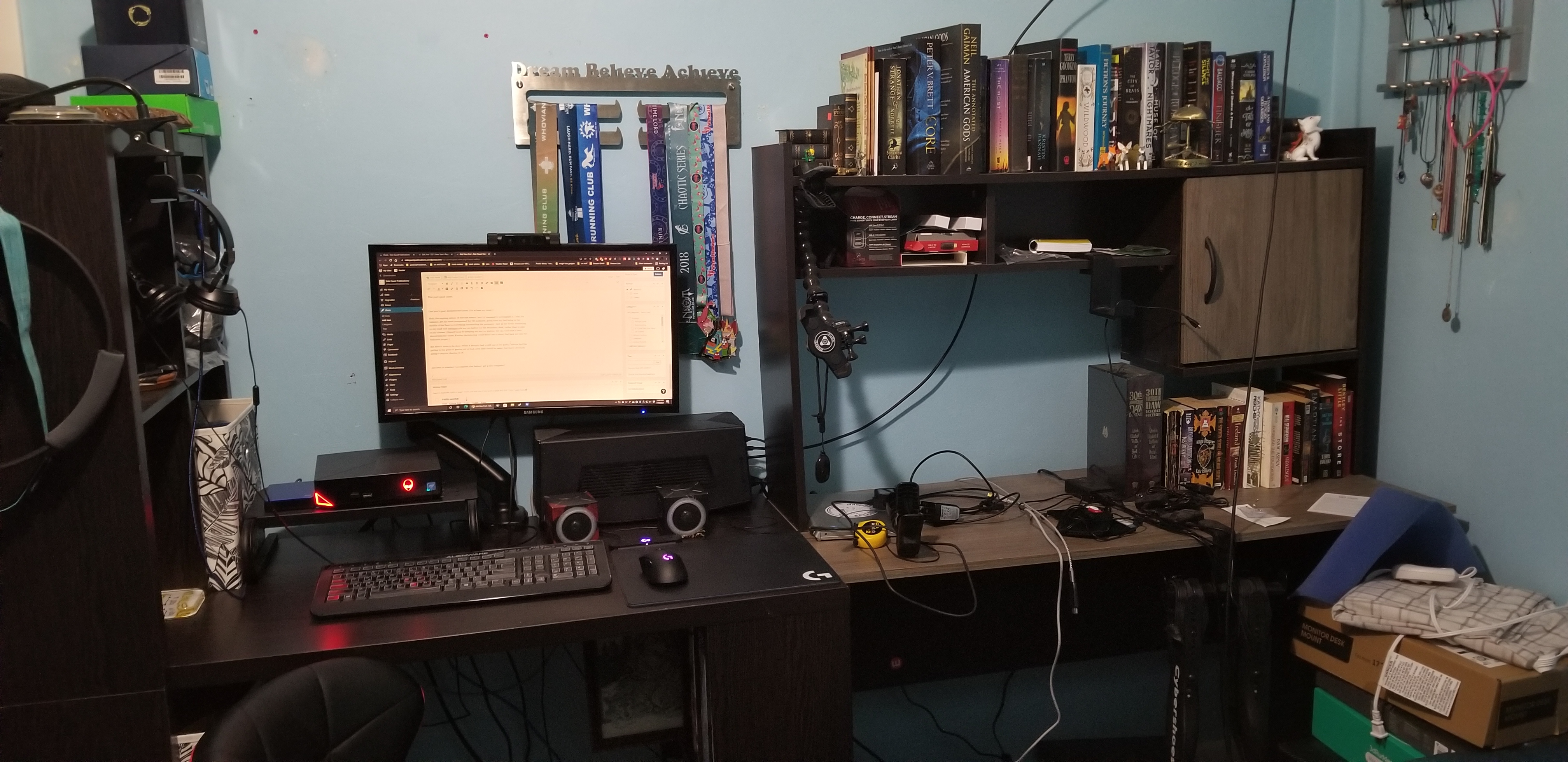
See, the Ripsaw’s instructions include connecting an HDMI cable from the capture card to a monitor… this in addition to connecting the capture card to your recording computer via USB. Bear in mind the computer I’m recording with and need to be able to see the actual game on is already connected to the monitor and I don’t just happen to have another monitor lying around (nor space to put it if I did have one–one of these days maybe but I’ve still got plenty of decluttering to do before I take that idea seriously).
I assumed that was an extra feature for people who actually have a second monitor to work with and choose to do so and that it would preview just fine on OBS without requiring that step–after all, how could I expect to adjust the cropping etc to make the footage fit exactly how I want it to amid whatever else I’ve got shoved into OBS except by seeing that preview on the computer that’s actually running OBS, yes?
But there is no preview.
There is my face right in front of the GoPro, there is the ability to see that Cardia is positioned right where I want it, but while the Razer is listed in the sources and audio mixer alike (and why do the instructions require the Razer to be added as an audio source if the video source shows up in the audio mixer?) I have found no evidence in that preview of any media source from the Razer capture card that I can drag and crop and skew to my liking. It’s like it just doesn’t exist.
Ironically, given the absence of a second monitor, I have no way to test whether I do in fact need a second monitor to use this particular capture card or if my assumption was correct and the capture card is simply not working properly.
Pity. I had thought I’d start using Twitch more–do Ring Fit (the only fitness game that actually takes me awhile) on Mondays, upload the edited footage to YouTube on Tuesday, and then probably livestream a horror VR game on Thursday then upload the edited footage on Friday.
(Why a day apart? Because, while I don’t expect to become an affiliate any time soon, Twitch’s affiliate system requires exclusive use of the content for at least 24 hours… but unlike YouTube, which is totally dependent on the audience, if I don’t have enough content to stream I won’t meet the requirements to upgrade my account anyway no matter how many followers I get.)
But I’ll need to return the Razer and get my hands on a different capture card before I can do anything with the consoles.
I mean, I can still do VR with my current set-up, and here would be my first attempt at a “horror” game (really sci fi with creepy elements, but it’s some of those elements that inspired me to include the heart rate monitor and actually start playing legitimately horror genre games):
This, I might add, is the first video I’ve done connecting the GoPro via HDMI.
And here’s my Twitch channel if anyone would like to keep an eye on when I put some real effort into sticking to a livestreaming schedule (first “stream” was an afterthought on this same video so I had to run the edited version via OBS):
And finally I do have the option of doing that stealth/balance/planking thing which only requires screen mirroring.
But going back to Twitch’s requirements, right now VR is the only one likely to have me streaming long enough to matter for their affiliate program–I generally only do a minute at a time in Stealth because I just can’t plank for long, Twitch’s requirements are measured in hours, and I’m not ready to try to make streaming a daily occurrence (particularly as that includes workdays)–until I decide what other capture card will work for my purpose.
In other news I’m trying to work out what kind of mirror would work best to factor in both the fitness games and the VR–fitness because some very few exercises require doing something behind my back, and my current option is to either turn around (and listen to audio cues to know when to turn back) or to simply not show those moves on-camera, and VR because, even with a yoga mat designed for the purpose I can easily get turned around (as seen multiple times in the above video) and have no idea which direction the camera is in.
Alternatively I could incorporate my older GoPro 5 into the mix, never mind the difference in their ability to pick up light, but that would either require running cords (tripping hazard)–not to mention investing in yet another capture card–or simply recording footage from the back (editing it in as needed but not including it in livestreams). Also there is the question of where to put the camera….
But still, more decluttering before I make any other major changes to my decor.
In other other news I have finally cancelled my Netflix subscription. Now to investigate the likes of Supernatural and other new(er) fitness games.
Suggested products in use, Amazon Affiliate links included where possible:
Well, I haven’t done workouts for a little while, not since that last recording test sans computer.
The test, if you’re curious to see me flailing around with little context:
As mentioned previously, the GoPro seems to be working fine as a camera but I haven’t gotten around to seeing how well it works in HDMI mode despite having had the equipment for close to a week. I don’t remember what distraction kept me from doing so on Monday but Thursday was a combination of running errands, celebrating my mother’s birthday, and trying to catch up on Netflix.
Which leads me to the point of the title.
Just like with my read-and-redonate pile of books, there is a lot of digital media I need to “declutter” and get rid of. And just like that to-read pile, the sunk cost of already being mentally invested in some of these things means I really want to try to finish them before simply deleting them… for the same reason I haven’t made an en masse donation from the to-read pile for a while yet.
Now, with videos and such that are merely stored on my computer, that’s a simple matter of watching them whenever I get around to it and then deleting them to save space. But for the likes of Netflix, the idea is to eventually cancel my subscription–not for the sake of saving money (or not only for that; my tv-viewing habits right now are such that renting individual episodes would probably be cheaper than keeping the subscription going), but because I’m also interested in the VR app Supernatural and similar and I really don’t want to take on another subscription just yet.
So I need to try to catch up on shows I already like on Netflix, and decide which of the shows I’ve marked as “possibly of interest” are ones I could live without if it means cancelling that much sooner. I’ve done this with Hulu and Apple TV alike, and the plan is to do the same with Netflix.
Easier said than done…. I’ve had this subscription for a lot longer than the other two and as such have built up a considerably larger list of things I might want to watch on there.
With that, I changed my nightly routine a little. Instead of the “read x pages, exercise, shower, read some more until I make myself go to bed” plan, I am watching one episode of those “possibly of interest” shows, enough to decide if I should keep it on the list to continue watching or remove it (or a movie which I only need to watch once for the sunk cost aspect), exercise, shower, then read until I go to bed.
I’m trying to focus on the Netflix-exclusive ones on the grounds that “renting individual episodes” simply isn’t an option, but even there I’m finding it necessary to keep the subscription that little bit longer.
See, I managed to remove three or four shows from my list doing this (five or six if you count the non-exclusive but “ending this month” titles so there’s no chance I’ll catch up unless they switch to another service I’m using), but I’ve already decided to keep two more. One of them, Raising Dion, felt a bit too much like a family drama and not enough like a “superhero origin story” for my liking, and it was literally the cliffhanger at the end of the first episode that made me sit up and take notice and keep it on my list… the first two seasons were both dropped on Netflix all at once, so as long as there’s no season 3 planned catching up on this one will be easy. Sweet Tooth, on the other hand, has only one season that started last year with another one planned so I’ll have to wait longer for that one to be done. (Ironically, I was playing with my phone while watching this one–removing things from my Kindle app that, for organizational reasons, shouldn’t have been downloaded yet–but I was still able to follow along well enough to know I liked the show long before the episode ended. I had no such distraction while watching Raising Dion.)
And back on the subject of removing things from my computer, there is still the need to go through that backlog for my main and motorcycle channels.
Now that I have a newer GoPro and the display mod I kinda want to re-record the intro for the motorcycle channel (which requires better weather) before I go uploading more videos, that way I can get everything uploaded in 4K if I decide to do so. Plus there is the matter of extracting GPS data for the sister site before the need to reorganize leads me to doing anything irreversible with the raw footage.
But the main channel…? There’s honestly nothing I need to do with that that warrants delaying as long as I have, I just need to get on there and do it.
How about you my readers? What sort of decluttering or other self-care are you trying to tackle?
Seriously, GoPro’s webcam mode has been out for something like a year now and this is still a problem.
Anyway, I managed to get another week’s worth of workouts in–the next level in Ring Fit‘s Adventure Mode, a single randomly-selected workout, and the next level in Beat Saber’s Campaign Mode.
But not without continued glitchiness.
I wanted to blame this one (the score, not the glitchiness) on having a considerably smaller monitor than the TV I usually used for the purpose (some of you may have noticed I’ve been stepping up close to read anything ever since I switched to trying to do all of these in my room) and accidentally selecting “advanced” difficulty because I couldn’t see, but nope! Upon reviewing the footage I was in Novice mode the whole time.
I did, however, keep turning when I was supposed to be tilting, so there’s that.
I finally manually updated the GoPro (after having previously updated via the app) to try to get this one working.
Worked just fine (aside from forgetting to switch the browser video to full screen) but the GoPro froze up again right after I stopped recording.
Too late to return it (I have a protection plan but the ordinary “return for a refund” period is expired), it finally occurred to me that I’ve never tested to see if it was similarly defective when used as a regular camera. Kind of an important detail there since I’m planning to use it on my motorcycle.
Got that particular test uploaded and it seems to work like it should.
This leaves me with a few working theories.
One, the webcam software doesn’t work right. I should be able to alleviate this one by using HDMI mode which requires the Media Mod (which I recently bought for an entirely different reason, so at least the only “throwing money at the problem” that will occur here is buying a new capture card if this theory pans out). The gamble here is that it depends on the problem laying within the webcam software–the Hero 9 does not natively support HDMI out, and computers to my awareness do not support HDMI in (not counting Alienware’s passthrough port which bypasses Windows and therefore my full recording options), meaning I need the Media Mod to function as an adapter that still has me going from USB to HDMI and back to USB again to connect everything, so there isn’t a whole lot of difference in hardware to “fix” things compared to my current setup.
Two, my computer (which I already know is outdated) is just not up to the task. This will only be alleviated by continuing to save up for a new computer… and in the meantime, maybe recording gameplay and real-world movement separately and just learning to splice them together dagnabbit!
Three, the GoPro, despite being advertised with the feature, really doesn’t work all that well as a webcam. I keep hearing that the way to solve this problem is to use an actual webcam, but there’s a few problems with that… namely the difference in picture quality and the fact that most webcams are designed with the expectation that you’re sitting right in front of them and don’t have the field of view to accommodate my current use.
Case in point: the video above, a little on the fuzzy side, and with the webcam in “Linear” FOV it frequently cuts off the bottoms of my legs. But this is with my ceiling light at half strength, I have other lighting options I’m working with (trying to find something that gives decent lighting without making me look washed out on other devices like the Wii Fit’s own gamepad) and switching the GoPro’s FOV to “wide” or even “superview” gives me more of the entire room’s dimensions, not just an increased side-to-side view.
My gaming webcam, on the other hand….
Webcam’s attached to the monitor, I’m standing roughly in the middle of the room, and the light’s still at half-strength. Picture is quite grainy and you can’t see much below my knee… which normally would not be a problem but for the fact that I’m focusing on the fitness games.
When I move the webcam to the edge of my desk and move myself back as far as I can go to accommodate field of view, and increase the light to full-strength to accommodate the graininess….
Brighter, obviously, but still on the grainy side, and now it’s my head that’s cut off instead of my legs. I’m short, but clearly not short enough to compensate.
Anywho, for that third “the GoPro just doesn’t work as a webcam despite including the feature” theory, the only real fix to that (barring a fix on GoPro’s end) would be to record gameplay and IRL motion separately.
Any suggestions? Anyone else run into similar trouble?
Suggested products in use (because even with the problems I’m facing, these are some good products depending on what they’re being used for), Amazon Affiliate links included where possible:
My officially “first” workout for the year is, as per my attempts at making a regular schedule, the next level in Ring Fit Adventure.
Here we have what is probably my first successful attempt at recording via the GoPro-as-webcam and OBS… but as per the description on that video I was moderately sure I could hear the computer’s fan running in the background.
Between that and the perpetual sound issues in trying to cast any gameplay from the Oculus Quest, I decided relying on something other than my Razer webcam to pick up game audio was in order.
For my next trip to Beat Saber’s campaign mode, I tried to solve that problem by connecting my Chromecast to the capture card… and subsequently had to buy an HDMI coupler for the purpose because I’d completely forgotten that Chromecast and Capture Card alike both had male ends and could not connect directly to each other.
Trouble is, I kept having problems with both keeping my GoPro connected for use as a webcam and keeping the Chromecast connected for streaming.
Following this video, I addressed the GoPro glitchiness by switching from the 3.0 USB cable I’d bought for the purpose back to the cable that came with the camera (ironic since the software explicitly tells you to use 3.0 or 3.1 for best results and GoPro doesn’t even make a USB 3 cable… or at least they don’t label the product pages or use the fairly common color-coding to identify their cables as such), but fixing the Chromecast/microphone issue was a little more complicated.
I do eventually need to upgrade my network, and I’m looking into several options for that (like finding a MOCA-compatible router so I can set up a connection in the junk room instead of relying on wifi extenders when I may or may not have anywhere in the house where they’d give me a better connection than I get now), but I caved and bought a cheap external microphone to see if it would work as a quick fix for the sound issue and returned to the browser-based casting option.
And by “cheap” I mean I paid about $25 for a store-brand model from my place of employment. I went into the purchase knowing there was a chance I’d need a better model, but I’m trying to take baby steps with my upgrades until I can afford a new computer, and the selling point for this one was the advertised ability to attach it to an ordinary tripod–I simply screwed it on to one of the desk clamps I’ve become obsessed with, allowing me to extend it even further away from my computer (and therefore the fan noise) as well as keeping my desk clutter-free. The fact that the upgrade means it is in front of my computer (instead of “behind” as the webcam is) and is a colloidal model (mostly captures sound from the front) both help filter out the relevant unwanted background noises.
The changes seem to help, but I can’t help but think there’s a logical fallacy in there somewhere–thinking that the first video I made after these changes works means I’ve actually fixed the problem when it was only ever random in the first place. Time will tell, but the improvements are enough to try this for set-up again.
Oh, and I’ve finally full-comboed Beat Saber’s High Hopes on Normal mode at the highest speed modifier. Now, in the name of keeping track of what I’ve accomplished with which song, I need to do the same with Party Rock and Warriors before I buy any more tracks… or try any of them in Hard Mode. Still haven’t decided how to measure when I’m “ready” to move up in difficulty in Synth Riders.
Back to the subject of baby steps, the next planned upgrade will be to get a light bar for under my desk. One that doesn’t rely on maintaining a connection to my modem/router for local use only, thank you very much. (Have these manufacturers seriously been unable to come up with an option for local connections that’s better than WiFi?)
Wearing dark clothes certainly doesn’t help matters, but the fact that I’m standing almost directly under my ceiling fixture means I tend to generate a lot of shadow in the leg area, which for the fitness games makes it harder to see a lot of what I’m doing. The light bar I’m looking at would fit under my desk when not in use (and even when in use) and can connect to the same power strip my computer is plugged into, so I can aim it where I need it without needing to run cords all over creation.
I’ll just need to wait to buy it until I actually go out shopping for groceries and the like if I want to avoid shipping fees… the thing is literally four cents too cheap to qualify for free shipping. In the meantime I’ll have to remember to pull down the “needs Wifi to connect to my phone” color-change globe that is currently hanging over my bed… or invest in another MisFit light bulb and stick my lamp under there.
Suggested products in use, Amazon Affiliate links included where possible:
Or one week late if we go by last year’s attempted “each update is for the week before” system.
Speaking of that attempted system, I don’t think I’ll be counting the weeks this year. If I’d actually remembered to update every single week it would’ve been fine, but there were enough delays due to procrastination and plain ol’ forgetfulness that it became entirely too cumbersome to keep track of which number week I was updating for, and this time I’m hedging on the chance that I’ll have the same problem by deciding in advance that I simply can’t make myself care.
Knowing me, if for any reason I change my mind, it’ll probably be late enough in the year that it just won’t be worth the effort to correct.
But meanwhile I do have more specific plans moving forward. Case in point, I’m going to add some of the Wii Fit fitness games to the ranks of “unrecordable” gameplay.
Oh, I won’t stop including it in my channel (when it comes up on the randomizer or monthly test), but I want to start doing weekly fitness tests instead of just the uploaded monthly, as well as doing a few of the activities and difficulty levels I’ve already hit 4 stars in.
I’m mentioning it here, despite the lack of those uploads, for two simple reasons: one is to warn you in advance that there will inevitably be inconsistent details from one video to the next (’tis why I’d only do the games that I’ve already hit 4 stars for but I have far less control over the fitness tests).
The other is to point out that this plan has less to do with exercise and more to do with experimenting my lighting options–I’m hoping my color-change LED won’t make me look as washed out as whatever I had installed in the ceiling before but I’m still suffering from standing almost directly underneath it… at least so far as the Wii’s own built-in camera is concerned. Plus I’ve also tossed a stand-alone light under my desk to avoid leaving my lower body in too much shadow for the workouts. Using the Wii more often gives me an easy way to try out different colors and brightness until I find something that I think works without spamming videos that may not be as upload-worthy as I’d like.
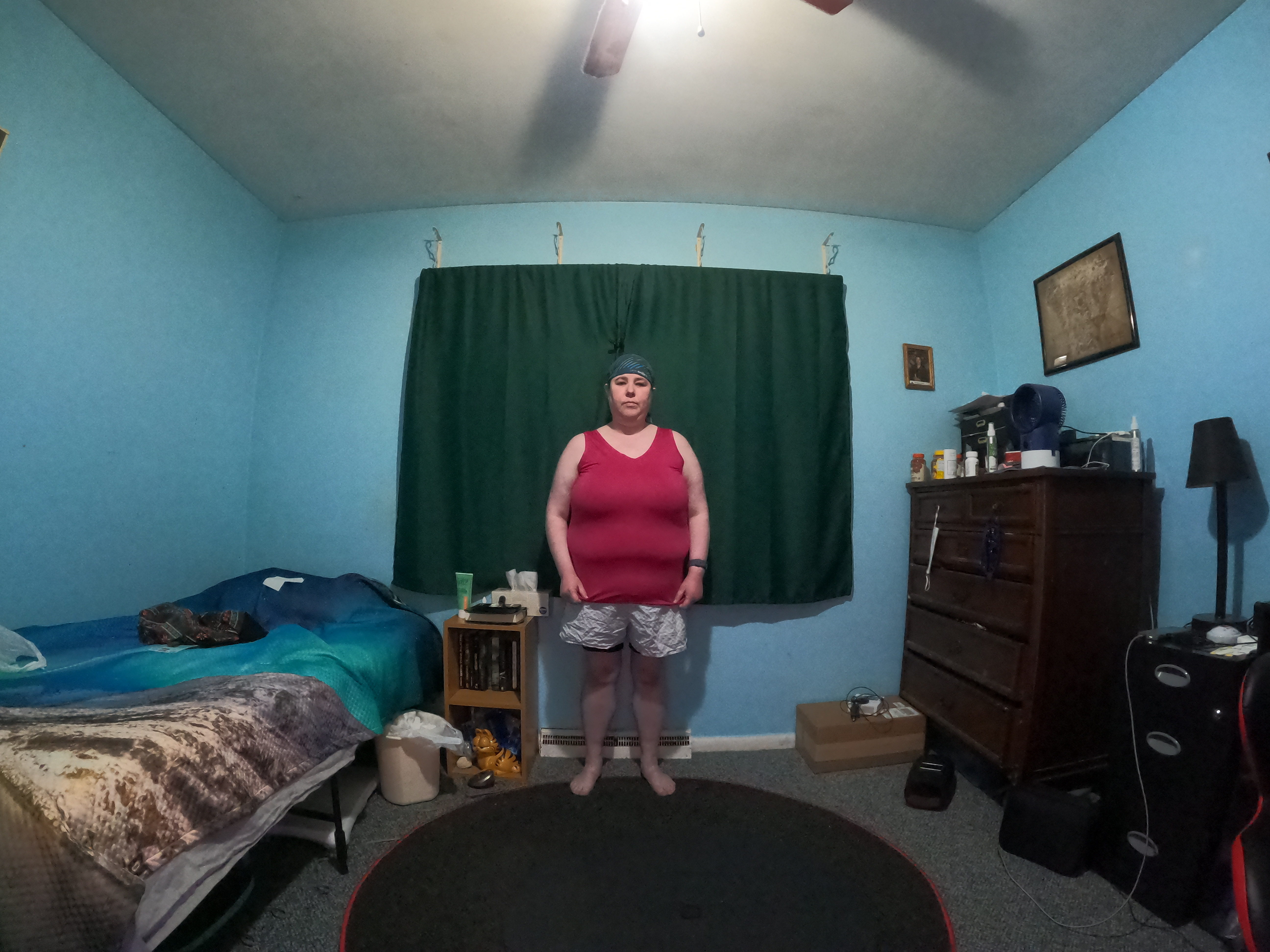
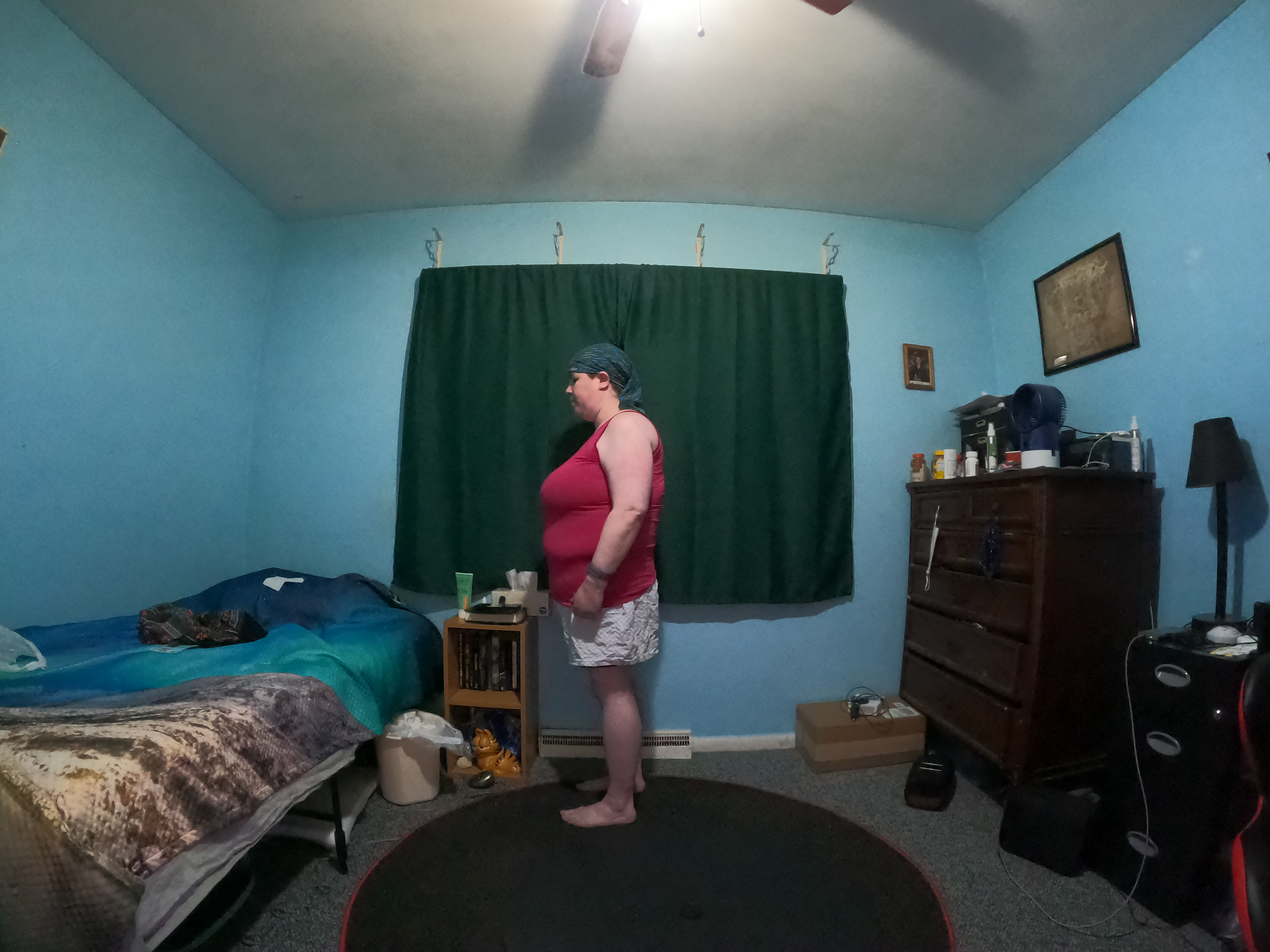
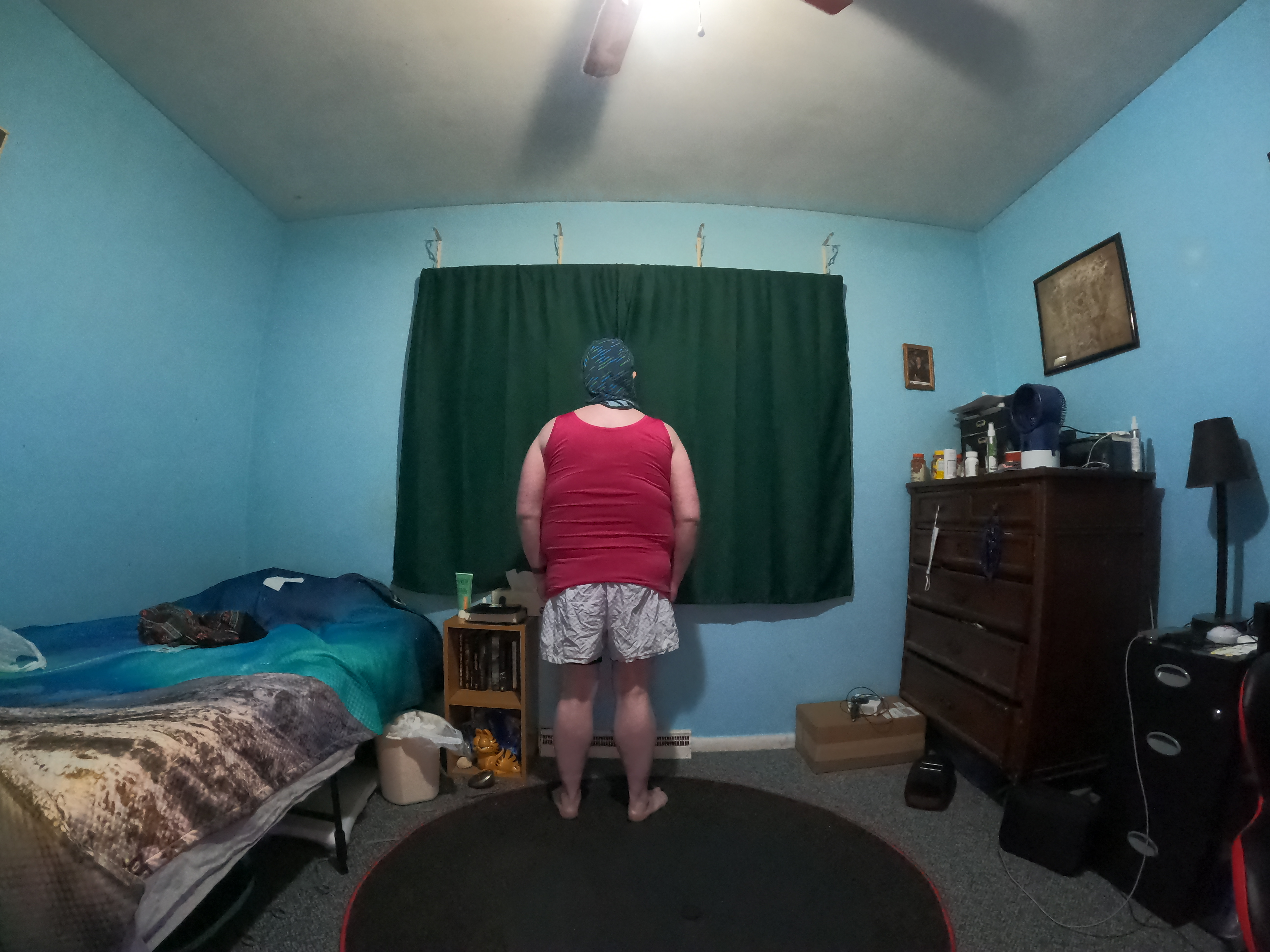
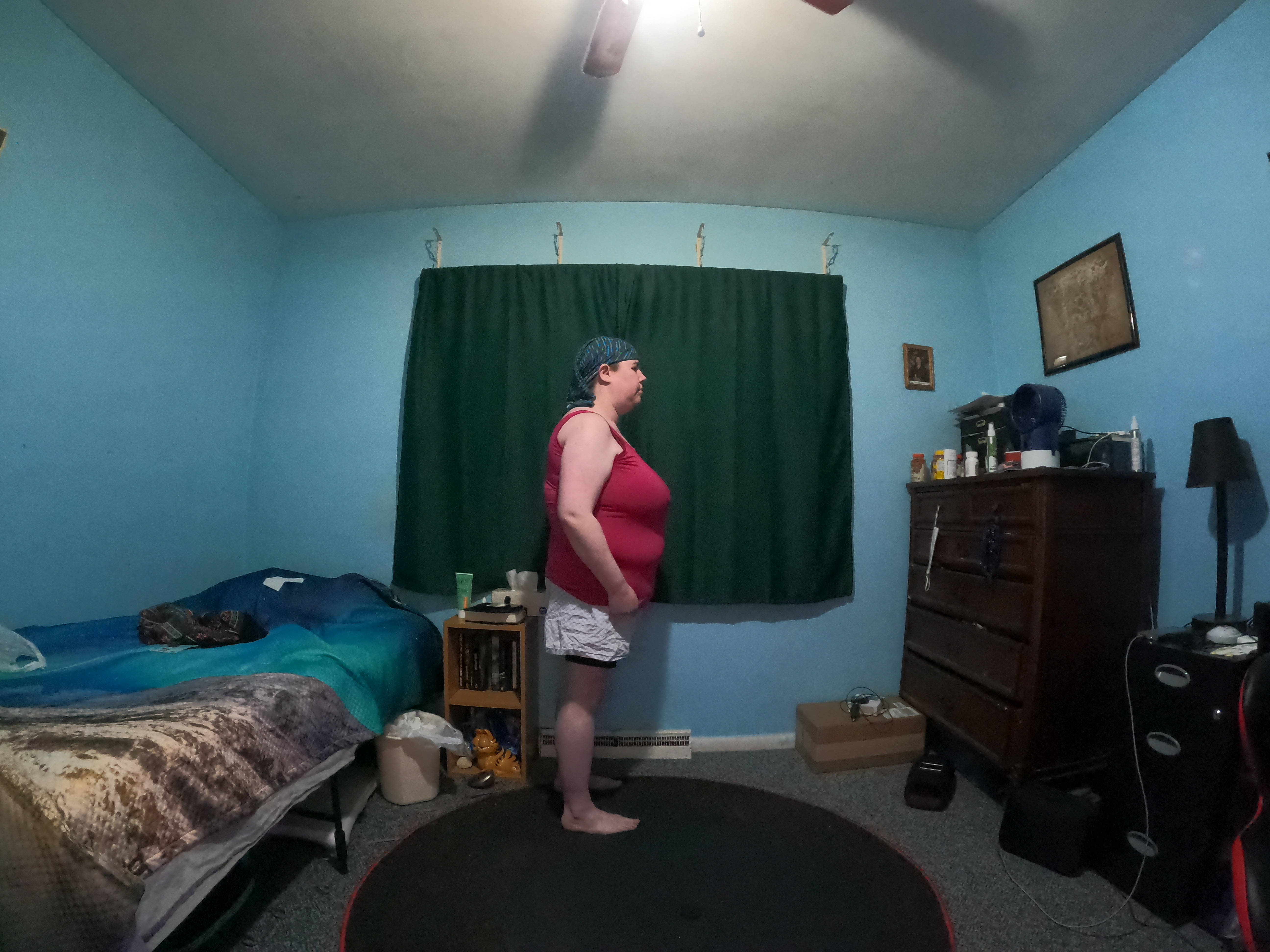
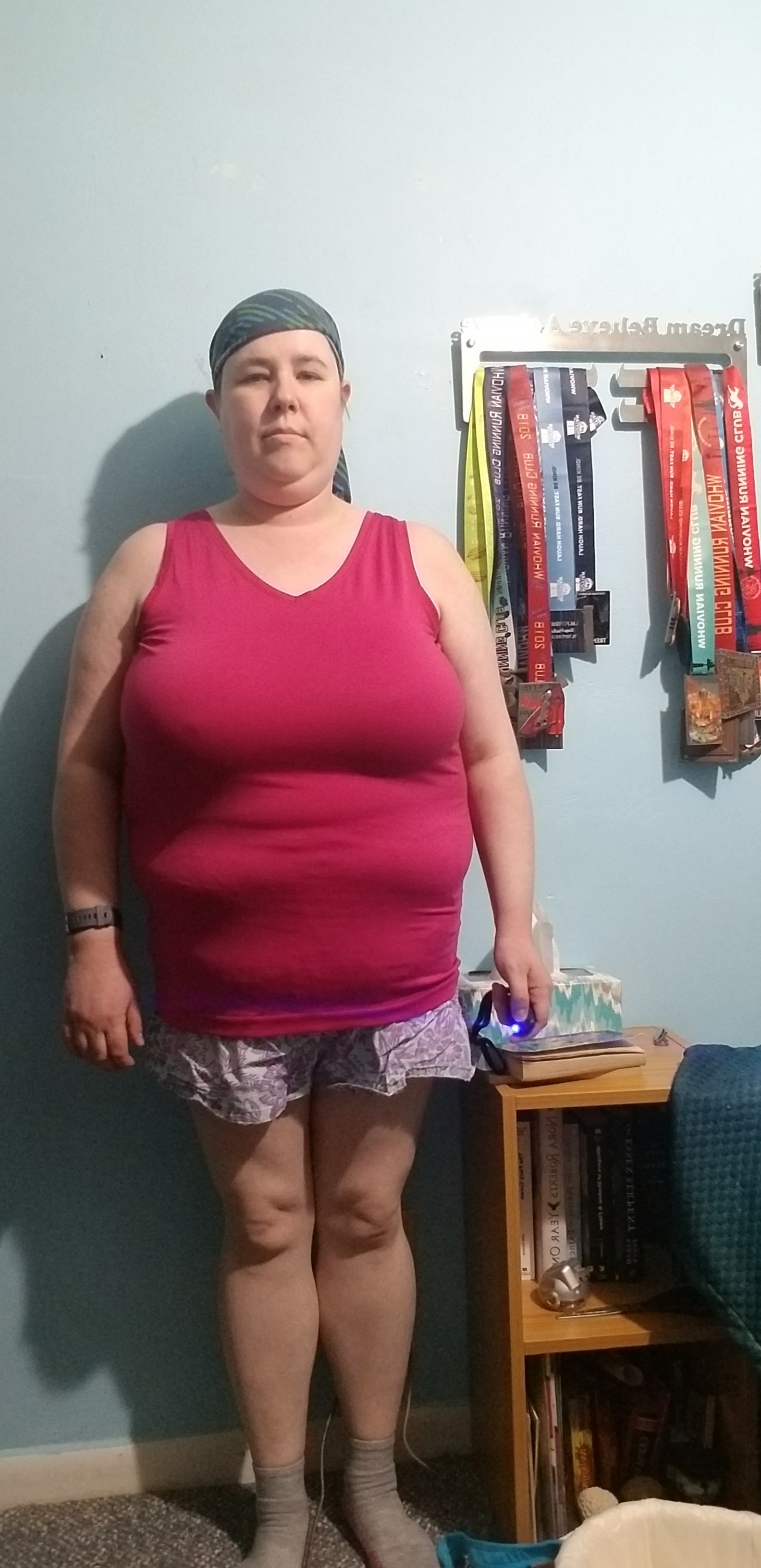
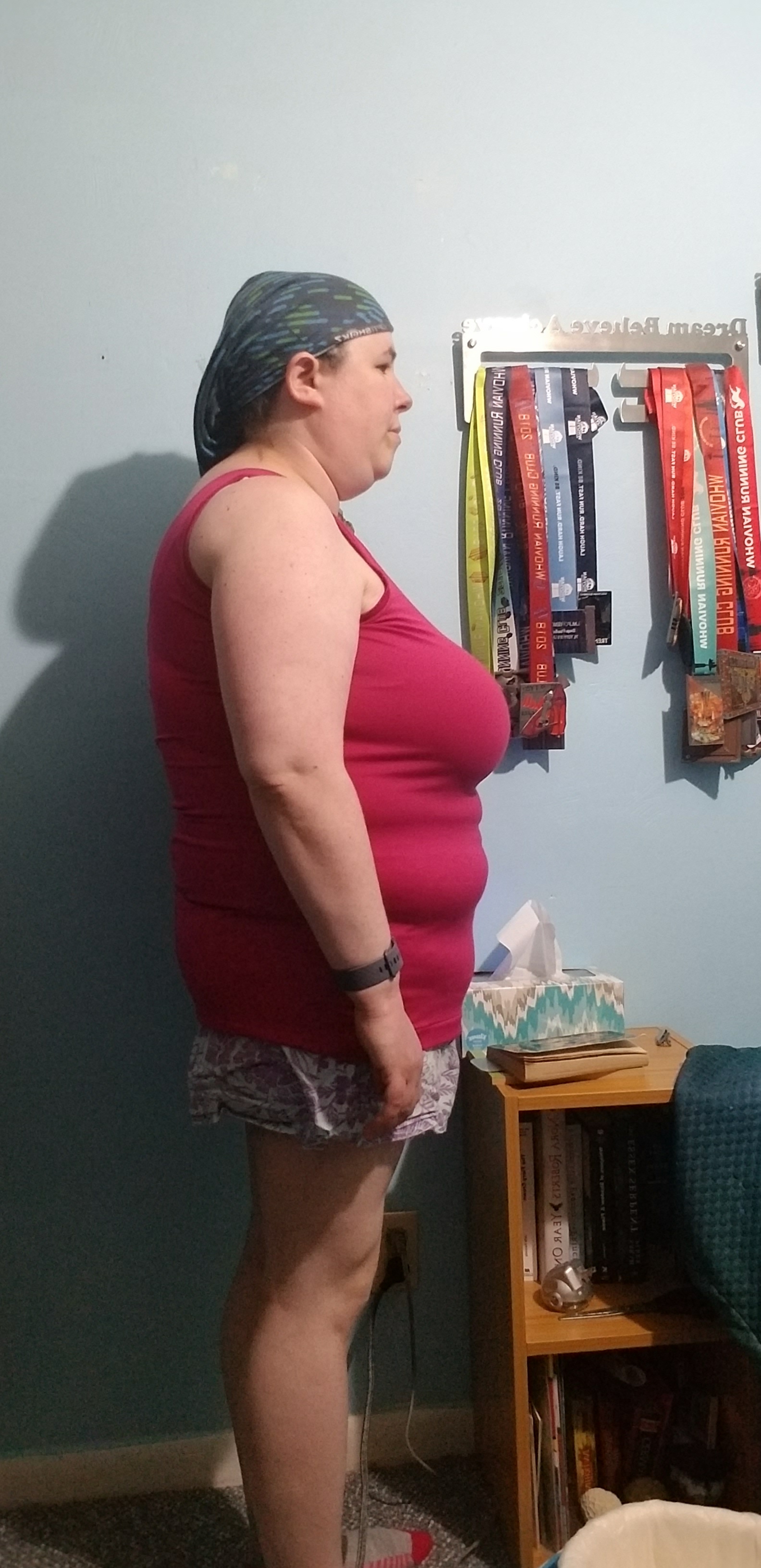
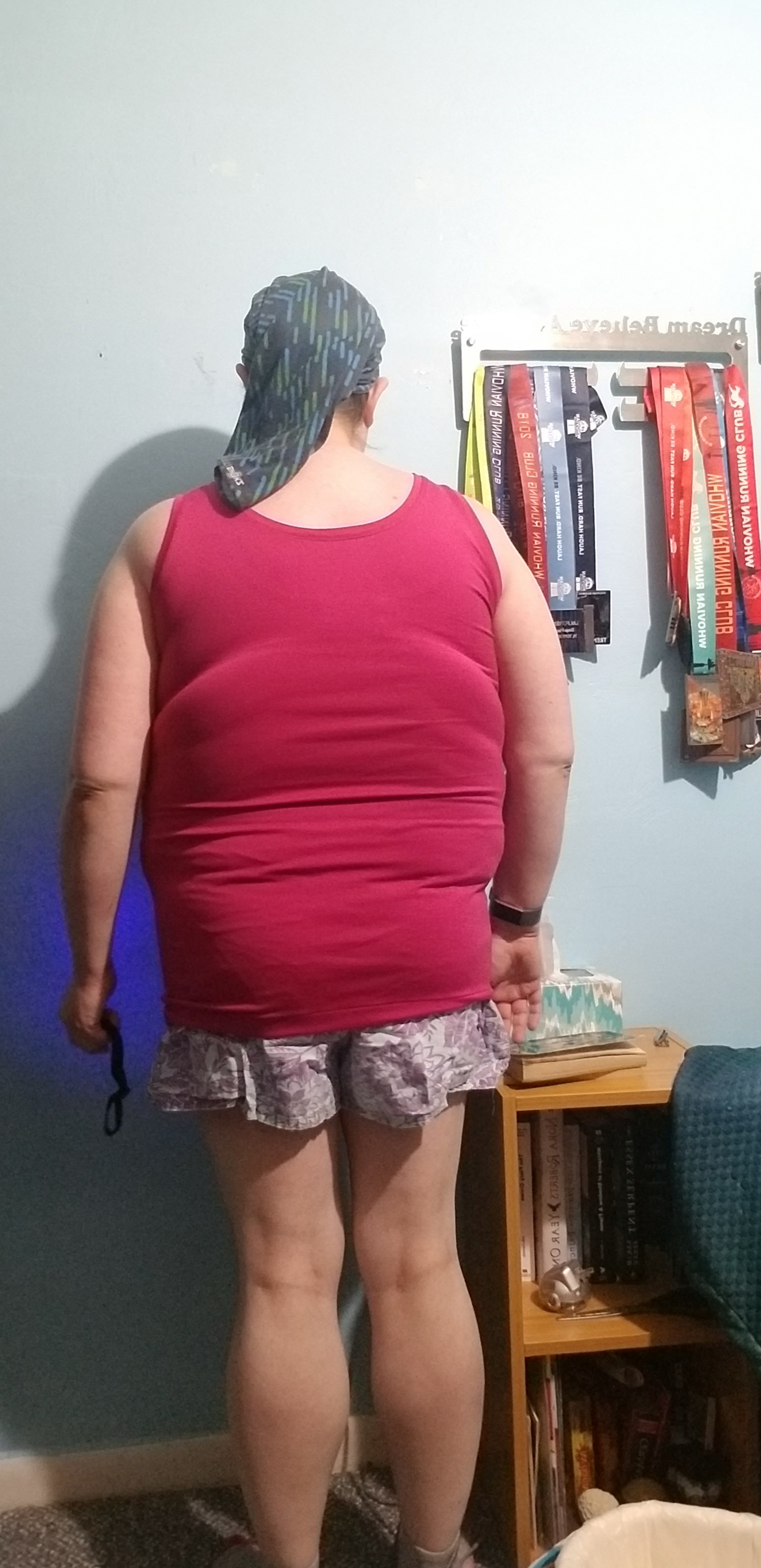
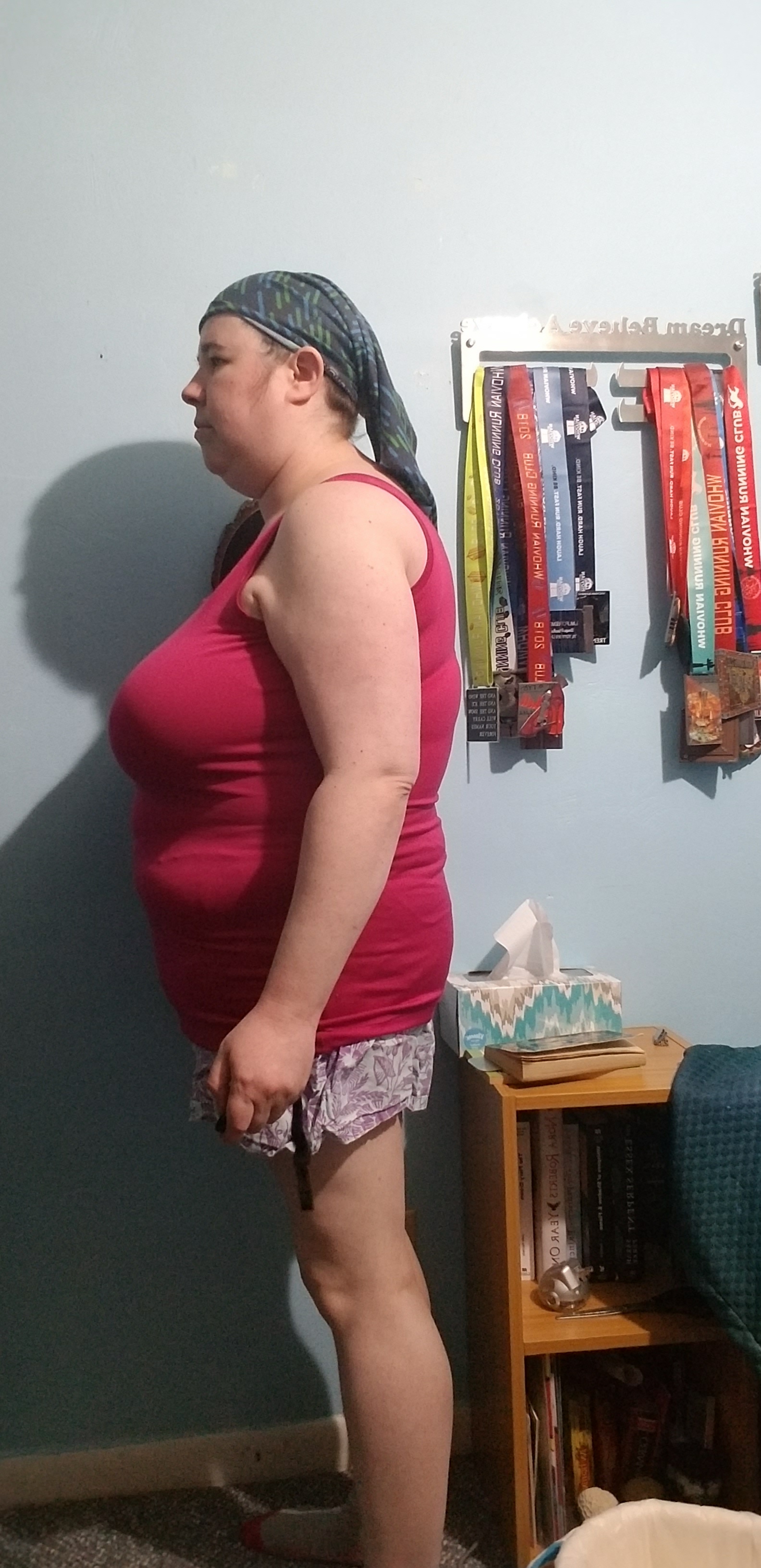
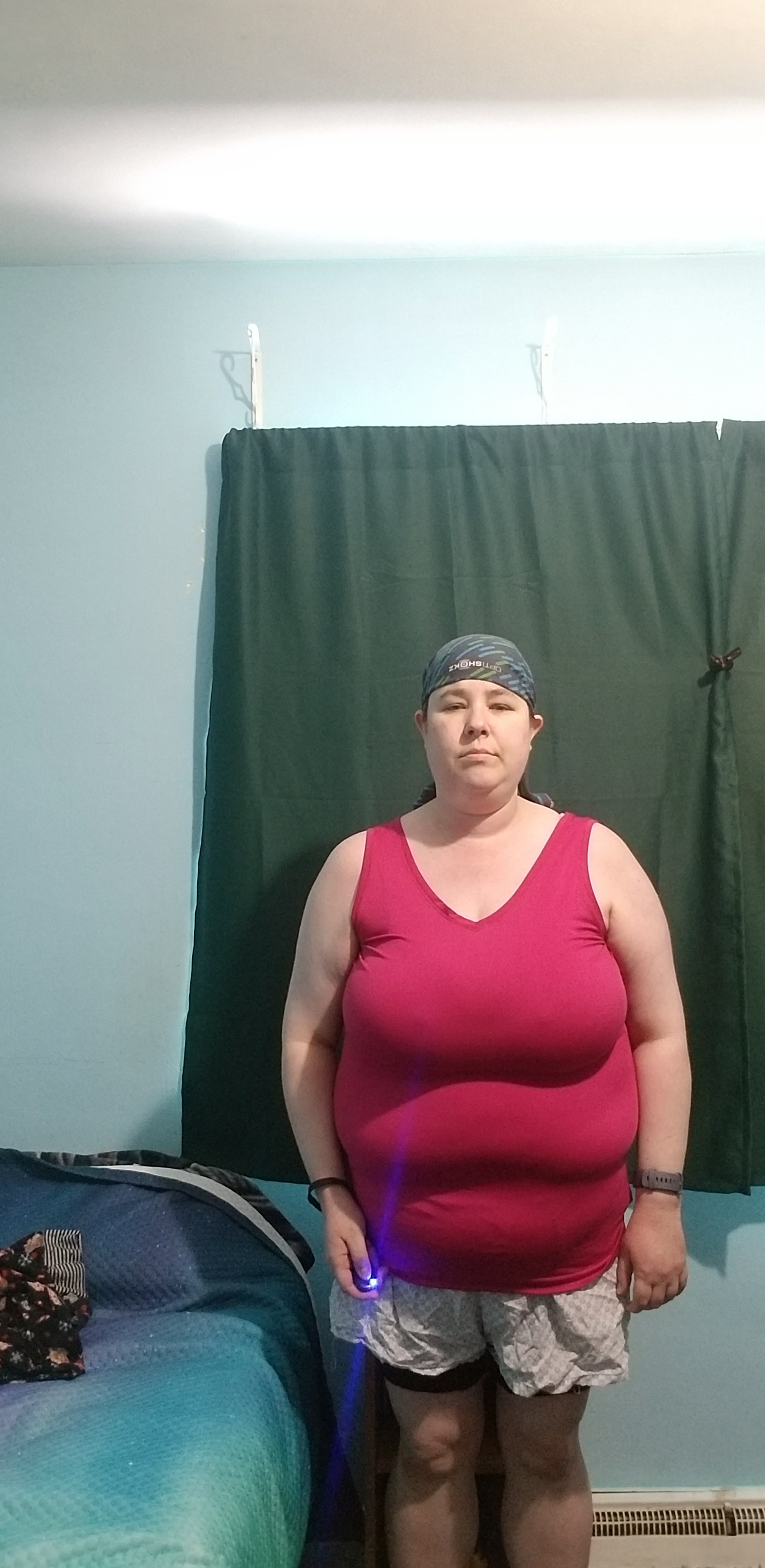
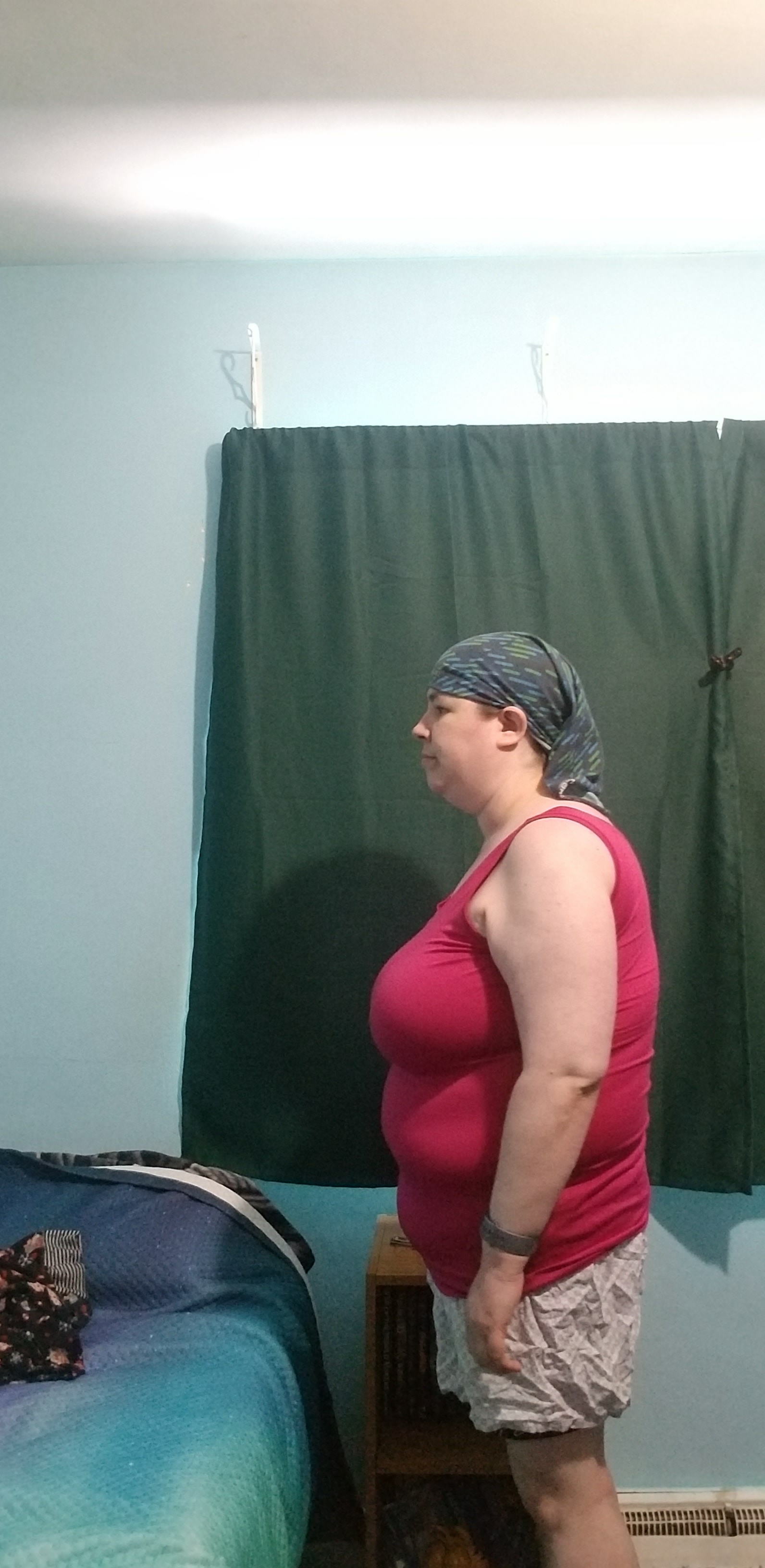
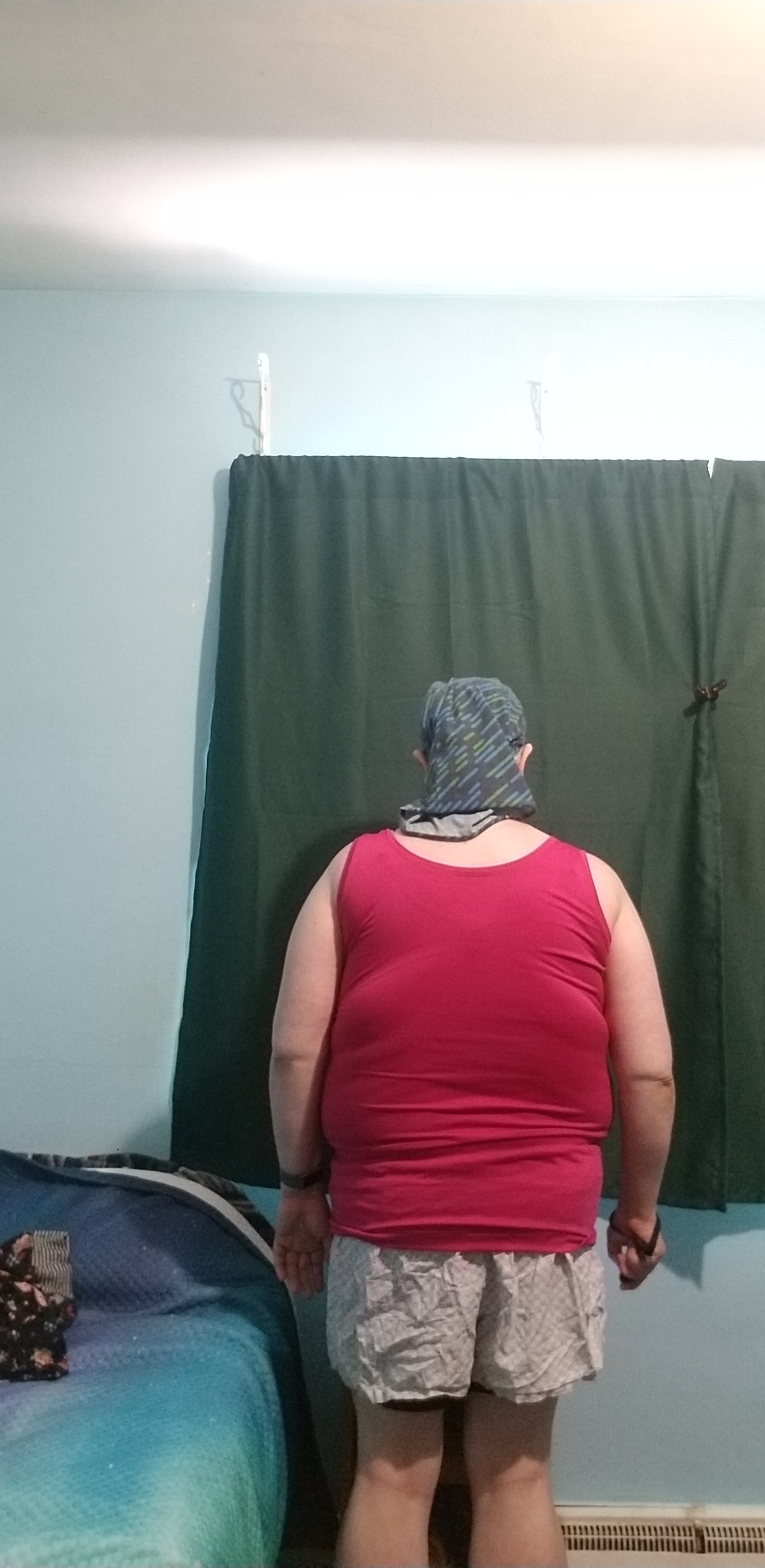
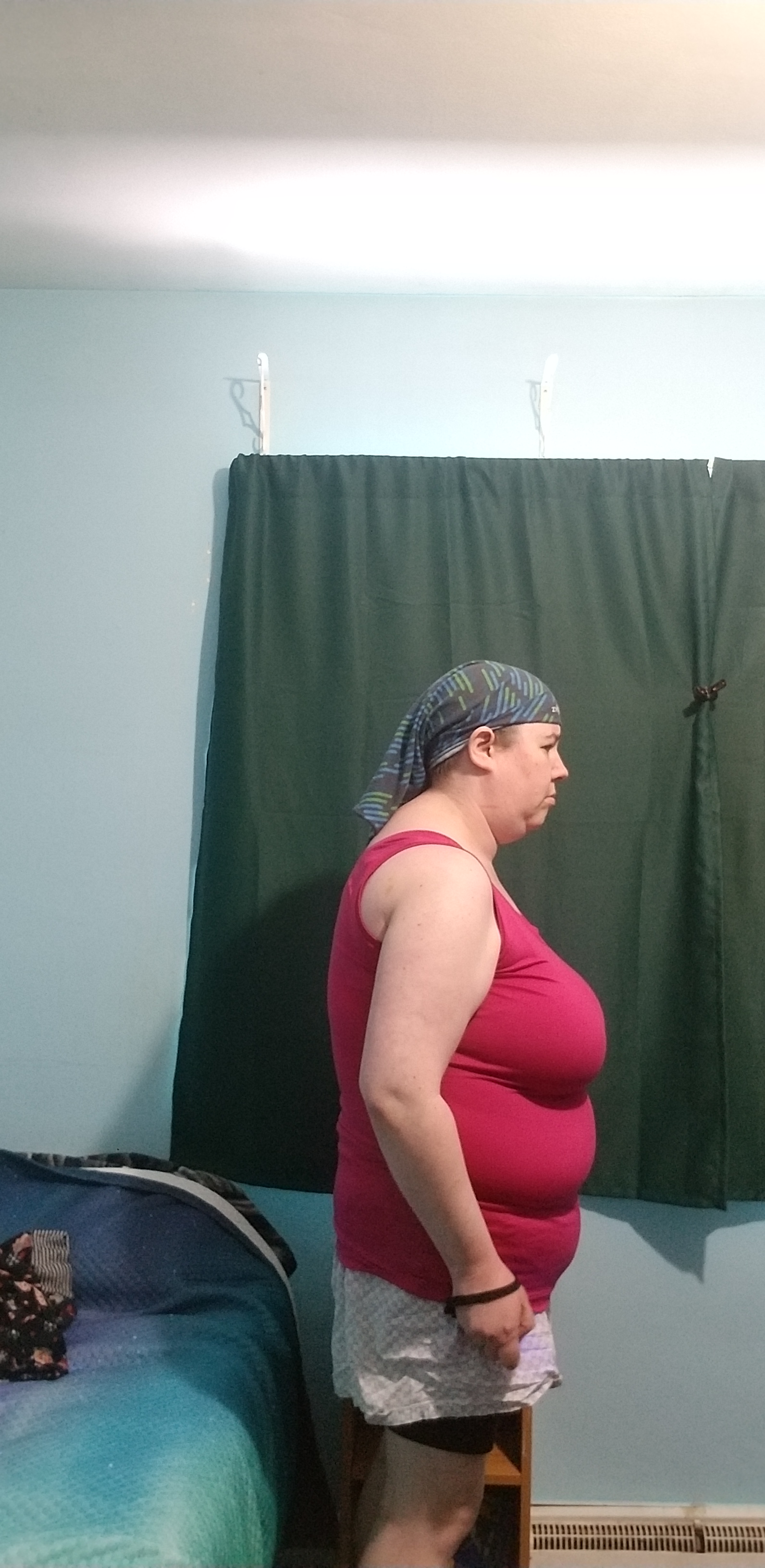
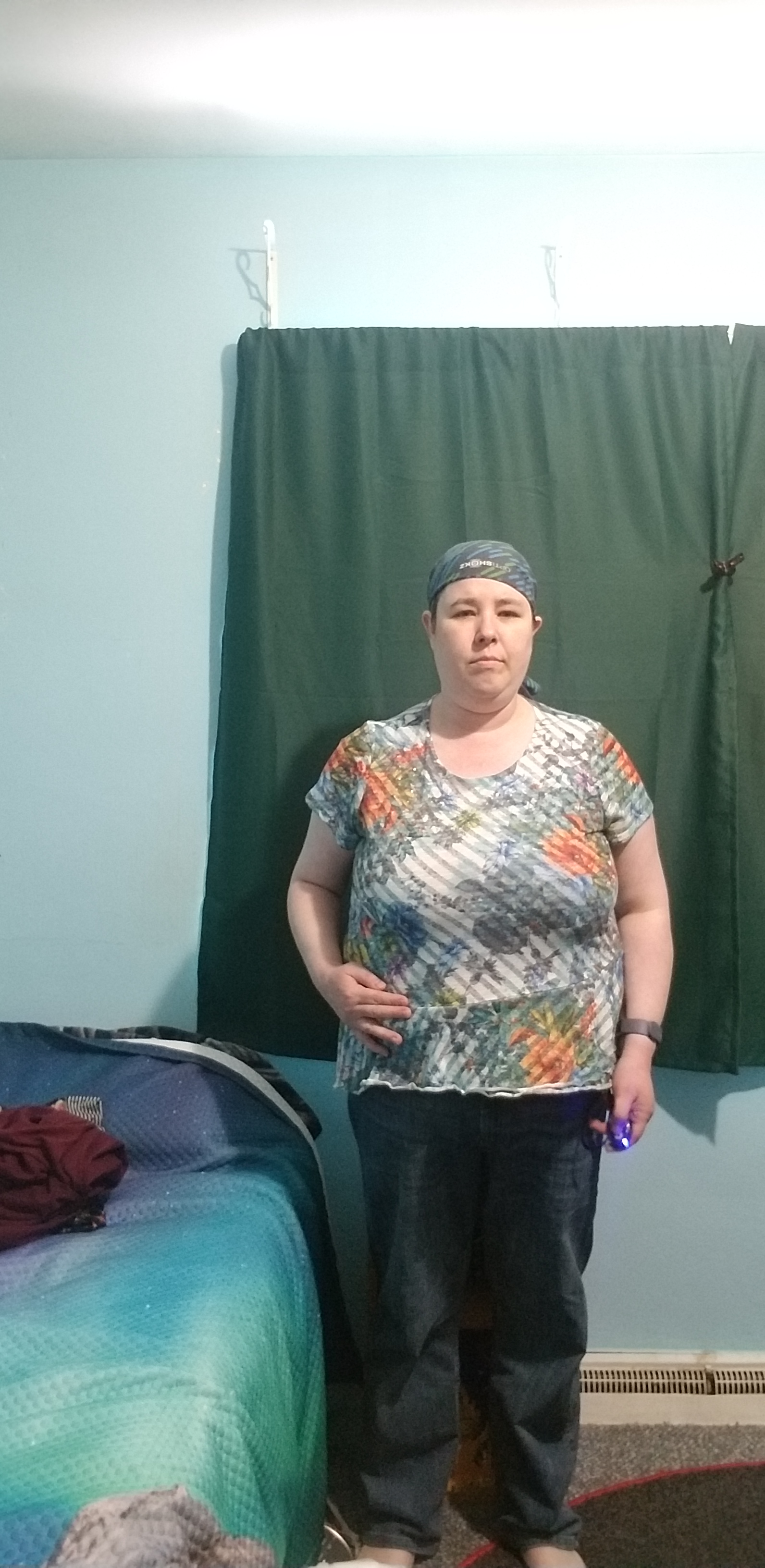
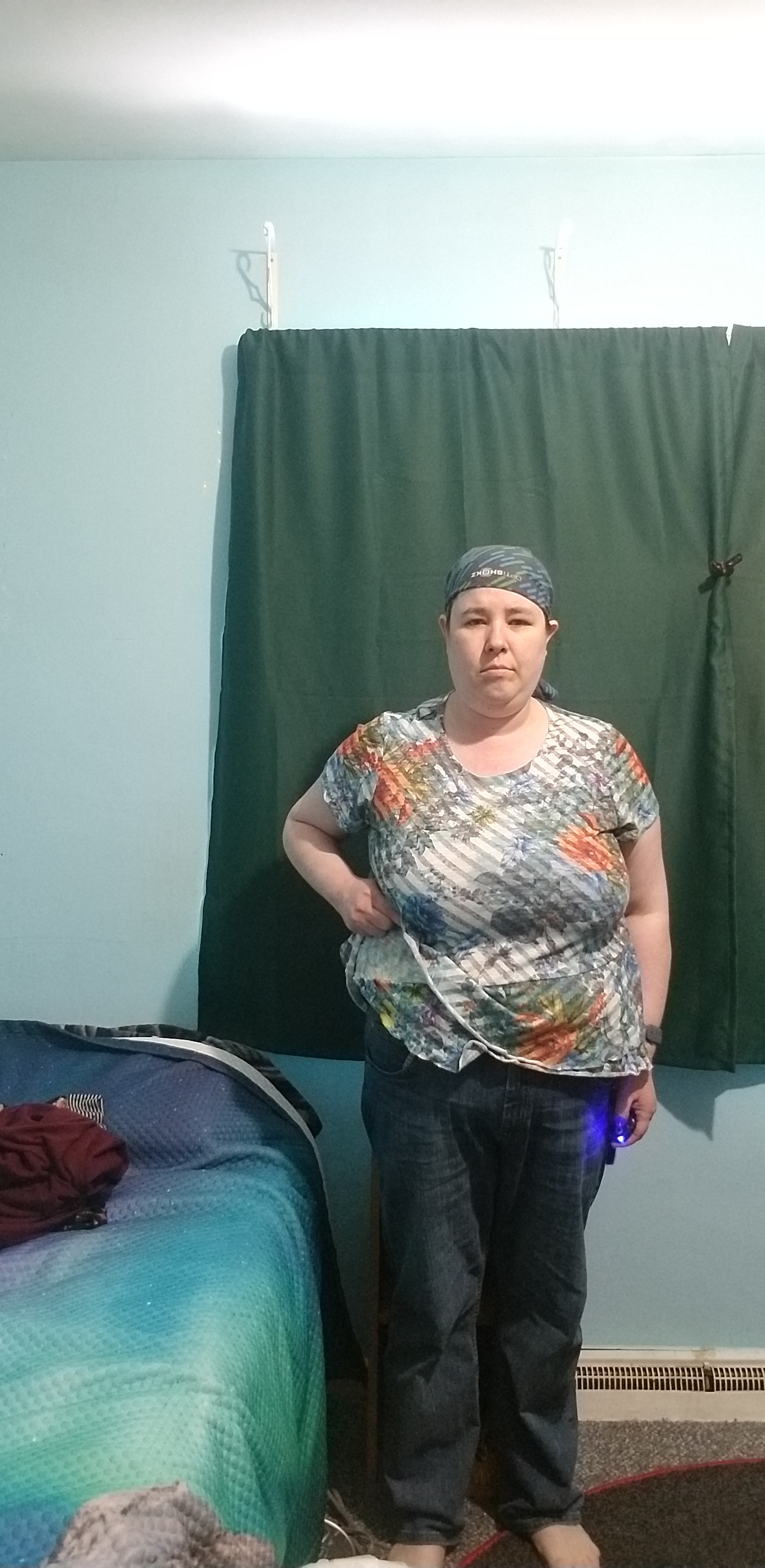
In fact, I first tried the light-under-the-desk option while taking my first “before” photos for the year:
These photos came, not from my phone as did last year’s, but from my new GoPro, and I can already see changes I may want to make to the process.
One such change I knew about before taking the photos: I’d like to dig out my GoPro remote and get it connected, as well as invest in the flip-up display so I can see that the camera is aimed where I want it to be. (I used the phone app plus burst mode to compensate for both issues, but tapping and then quickly moving into the proper position was awkward at best; I suspect setting a timer would be the same way.) I want the display for other types of videos as well–pretty much for any reason I might need the camera pointed at me–but I’m trying not to spend a lot of money for a while yet….
Another change, though, is to see what resolution et cetera settings are available when taking photos in this manner… for consistency’s sake, I’d just as soon not have to crop the photos like I did here each time after I take them, so I need to look for a setting that lets me focus on that narrow strip in the middle of my room the way my phone does. (On the plus side, the curtain makes for a really good “crop to this point” dividing line… even if the slant does make it hard to crop in exactly the same spot each time.)
But as to the light under the desk, hard to say how much it contributed to a better view of my legs and how much was the fact that I wasn’t wearing dark full-body pajamas for these photos, but I think I’m going to continue this method for now.
I’m also trying to decide on a more regular upload schedule. From my side of things, my work schedule means I’d still only make videos one or two days a week, but the change from the 360 to the Hero 9-as-webcam means I don’t have to wait nearly as long for everything to render so I could record a whole lot more in one day while still getting things edited faster. And scheduling when I upload based on what fitness device I’m using may make things more predictable for any viewers who are only interested in specific gameplay options.
While my biggest problem with committing to a schedule is, well, commitment, I’m kind of leaning towards doing all of my devices in those one or two days but uploading different days according to which device I used. E.g. if I’m starting the week’s workouts with Ring Fit Adventure’s Adventure Mode, that should be my “Monday” upload, then I pick (and keep) a specific order in which I play the other devices the rest of the day while using my randomizer to pick the specific workout, uploading each of those videos in the pre-selected order Tues through Thurs, and finish off with uploading insert-VR-campaign-mode-here on Friday. Obviously this depends on me actually doing multiple workouts as planned and remembering to edit and upload in a timely manner.
Finally (for now), there is the matter of how to actually record the VR gameplay. Wii Fit and Ring Fit both go to my computer via a capture card, the Stealth Board supports wireless screen mirroring direct from my phone… but my only options for VR are the completely soundless cast-to-browser or streaming through the likes of a Chromecast.
So at some point I’m going to try connecting my Chromecast to that capture card, see if that actually works the way I want it to. Of course, when I originally decided I’d try this I’d completely overlooked the fact that the HDMI on the Chromecast and capture card are both male ends… so I had to remember to buy a cheap HDMI coupler just to find out if this would even work. (I’m not fond of the “plug in even more things” approach, so it’s too bad there’s no easy way to use my computer as a Chromecast receiver without needing the actual physical device. Supposedly there is, or was a few years ago, some official Google-owned app for the Chrome browser but I keep getting a whole lot of “page not found” results now that I’d actually have a use for it.)
Suggested products in use, Amazon Affiliate links included where possible:
And with my first update for 2022, let’s see how I did.
First we have the “normal” monthly update of showcasing what exercise I’ve done over the past week and before-and-after pictures for the month:
Need to dig out the remote for my GoPro so I can start doing before-and-after pics with that.
Here we have two different attempts at what is essentially the same gameplay (the Wii Fit fitness test):
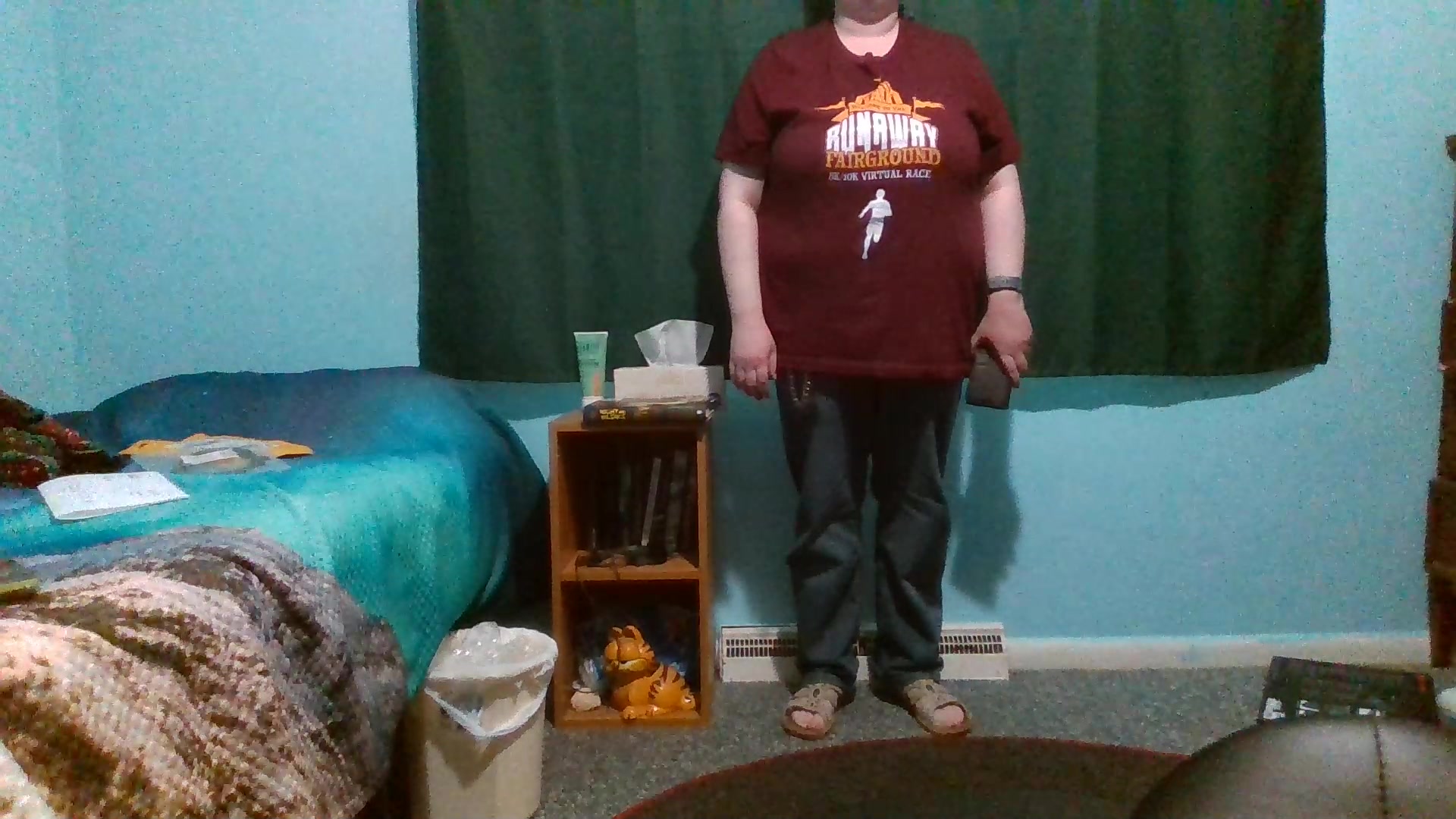
Good lord I look seriously washed out! At least on the Wii Fit’s camera–the GoPro ironically looks the best on the grounds that it’s simply less sensitive to light sources than some of the other options I’d been using like my phone. (Ironic because GoPros allegedly do not like artificial and low-light situations due to smaller light sensors than normal cameras.) Anybody want to recommend a better light bulb? I don’t have the space (yet) for studio lights and such so I’m kind of limited to whatever works in that overhead ceiling light, which, from what I’m reading, is a terrible idea in part because I’m almost directly underneath it. (I wonder how well my Misfit Bolt would work in place of a normal light bulb…. Or if it would get way too hot for the purpose. Then again I have no idea what wattage the light fixture is rated for so that might not be a good idea. Actually the light fixture is rated for 60w max, and the led color-change bulb is a “60w equivalent,” so I should be good; just need to play with the settings to see how well it really works for my eyes and the cameras alike, and maybe one day replace that globe with something else–maybe I can even find a shade that will counteract the “I’m standing almost directly beneath it” part without making the room too dark.)
Anyway, the reason for the repeat test (besides playing around with cropping to avoid so much empty space) is because I started off the year using my new GoPro as a webcam instead of using, well, my webcam as a webcam. Except I hadn’t done enough research and didn’t realize that the GoPro-as-webcam setup does not yet support the use of the GoPro’s built-in microphone… so I was yammering away in that first video with not a single sound from anything besides the game ever finding its way to the finished product.
In the second video I used my Razer Stargazer webcam in lieu of a microphone (one of these days I may need to actually buy a microphone but for the time being I’m trying not to add yet more equipment to my desk), with the only problem being that the GoPro’s footage and the Razer’s audio appear to be out of a sync. Looking at preview mode it looks like that’s also a problem on GoPro’s end–though I’m pretty sure I had the same problem when using the Razer for full webcam function–but I’ll still need to play around with OBS’s settings to see if I can persuade everything to run at the same time. (I mean, the heart rate monitor failing to update is a problem as well, but that looks more like a glitch than something that involves figuring out which setting to change.)
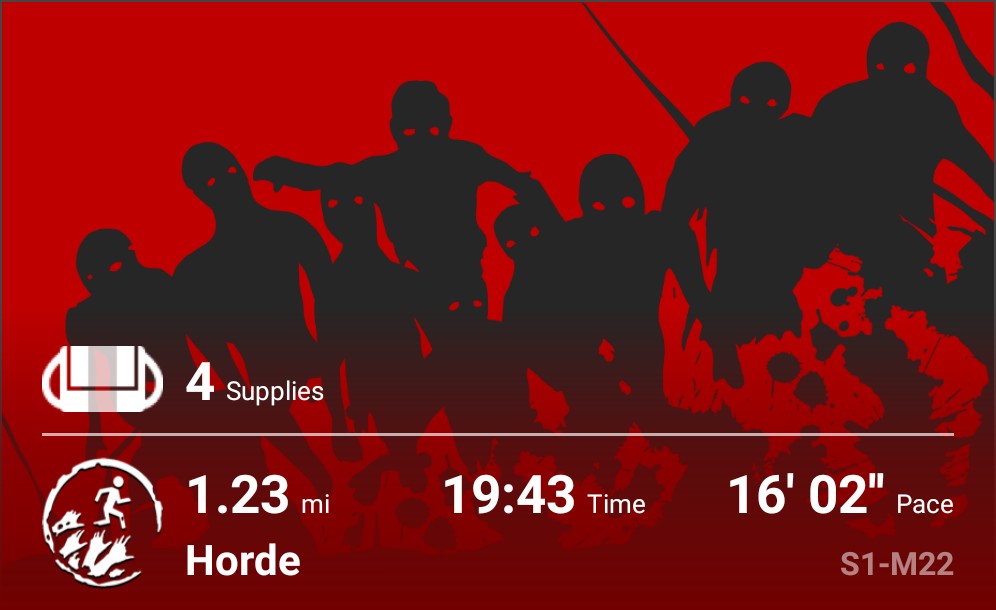
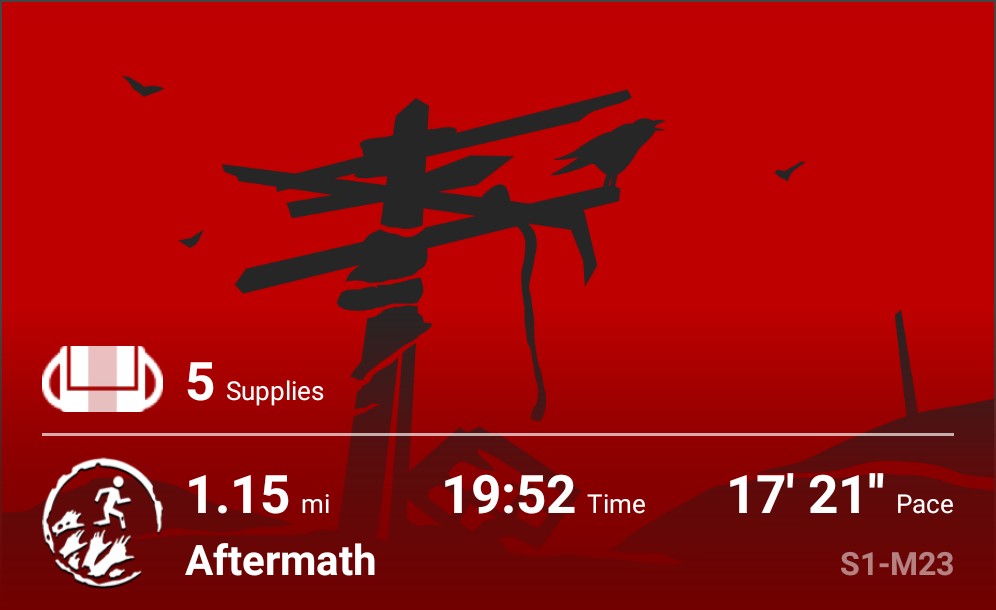
I finished out the first Season of Zombies Run as of the first week of January.
Weather depending I’m going to see if I can unlock the remaining Radio Abel clips for the season without needing to replay missions, and there’s another homefront-eseque New Adventure (aboard a pirate ship!) on the way, but otherwise I’m taking a hiatus from the app with plans to begin season 2 when the roads are dry and not splits-inducing.
Someone suggested I wear snow spikes on my shoes, but honestly I think I’d prefer to use the time to do my indoor workouts, or get started on adding horror and other non-fitness games to my channel, or even continue to ignore tackle the backlog for my other channels or my writing.
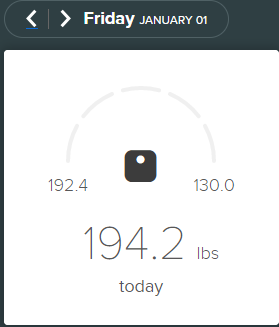
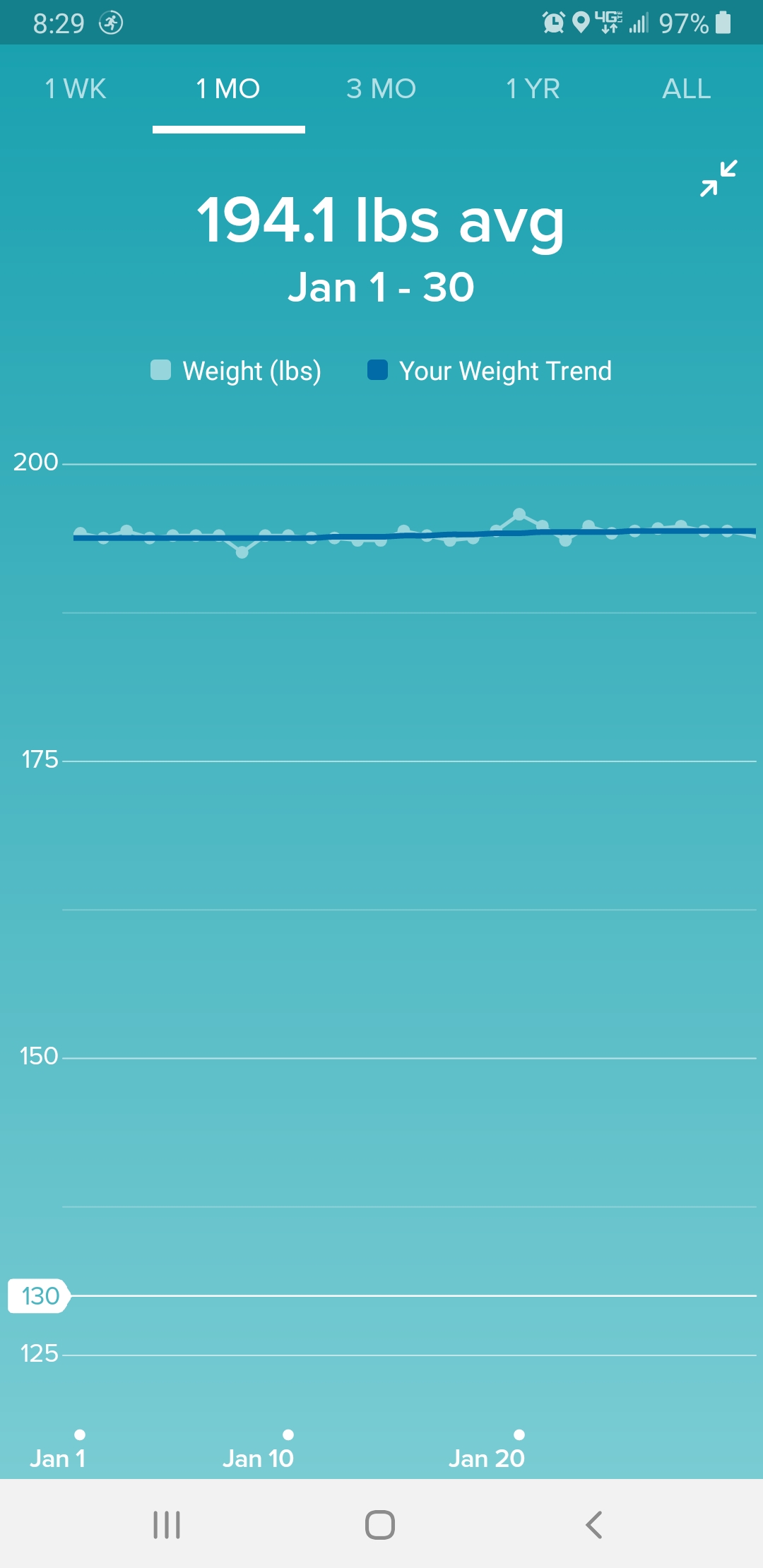
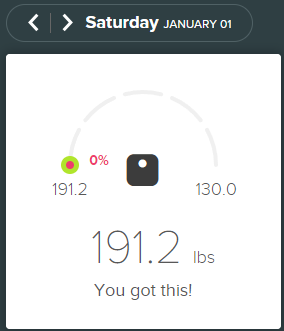
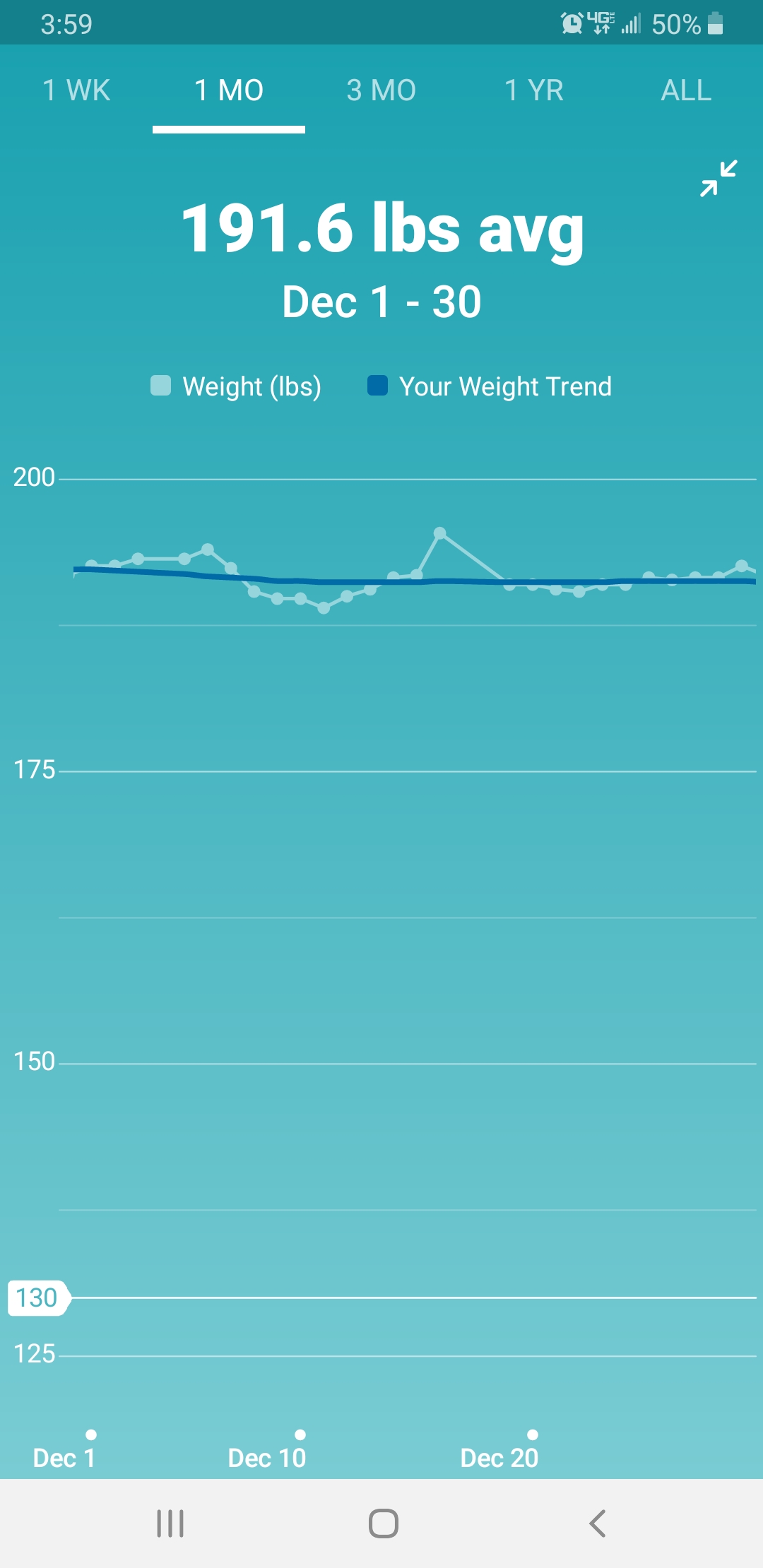
And finally for the monthly update, there is of course the weight change… such that it is.
Now that the monthly stuff is done, let’s see how I did with my yearly goals. I’d made a lot of “New Year’s Resolutions” for 2021, did I actually manage to make any?
(Y’all saw that coming, right? Especially with all the technical and not-so-technical delays in getting my games recorded.)
Anyway:
Last year’s goal of having $5,000 in my bank. Not even close.
I thought I managed to come close even after the annual “I can’t believe I spent that much money” shopping season was over but I didn’t factor in actually paying the credit card bill when I came to that conclusion. I suppose technically the fact that I had more before the end of the year and it only dropped like a rock come January means I still “came close” but not close enough for practical use; I really need to watch my spending in the coming months if I want to continue avoiding interest on my card.
This year’s goal: $7500.
Harder yet for two reasons. One, obviously, the increased dollar amount. The other is the fact that student loan payments are kicking back in after the pandemic delays, and, while I’m still benefiting from the “no interest” side of that equation I have no idea if I’m eligible for the related deferment (what’s an “account beginning with e?”) or if I’m stuck with the same monthly bill I had before the pandemic. Regardless I ought to be paying it and not keep putting it off–nothing short of absolute loan forgiveness will change the fact that I owe that money and interest or no interest “putting it off” just means it’ll take longer to be done with it.
But the increased goal has a reason behind it. While last year’s goal existed solely as a flat dollar amount, this goal is based on wanting to be able to buy a gaming laptop by Christmas. (A way to quantify the “I need to stop spending money” goal besides just saying I need to stop spending money.) And price changes and new models depending, this goal would give me enough money to buy the specific one I’m looking at without wiping out my savings to do so… more to the point, from a “quantifiable goal” perspective it would almost give me enough money to buy a second one. (Yes, the one I’m looking at is that expensive. Alienware, VR ready, and it’s 4k, and I haven’t even started looking at the customization options, but because it’s a laptop it’ll be a lot easier on the cables and desk space than getting another desktop with similar specs.) And if I don’t reach that goal, or if I settle for a less expensive model, well… having more money saved towards it can never be a bad thing.
Last year’s goal: the YouTube backlog.
Barely touched it. I got another book-unboxing video uploaded, mostly for decluttering purposes–I figured the sooner I got certain videos uploaded the sooner I could get rid of relevant documents that came with the books to be unboxed–but otherwise the backlog is still waiting for me to do more than organize clips into relevant folders.
This year’s goal: same.
Last year’s goal: get in shape.
Well, technically I’ve worked towards this one. I haven’t managed the “lose 10 pounds in a year” objective (though you can see above I’ve lost a little), but I’m making somewhat noticeable headway in other areas… and frankly, the “other areas” are the most important part of it, weight just happens to be the most easily measurable. Started the year with 36 waistline pants all around (casual jeans, shorts, work pants) and ended the year with 34, my shirts fit differently, and my Woxers are loose enough that I went and bought a 3-pack of mediums (I’ve been wearing large) in the hopes of finding out that this is an “inches lost” change on my part and not just them getting stretched from use.
Bras, unfortunately, are not as easy to check without a company that does fittings; I’m almost wondering if I should give ThirdLove another try just to to start adding brand consistency to cope with the lack of actual an actual standard in sizes. I certainly liked the coverage they offered better than anything I can find in cheaper brands….
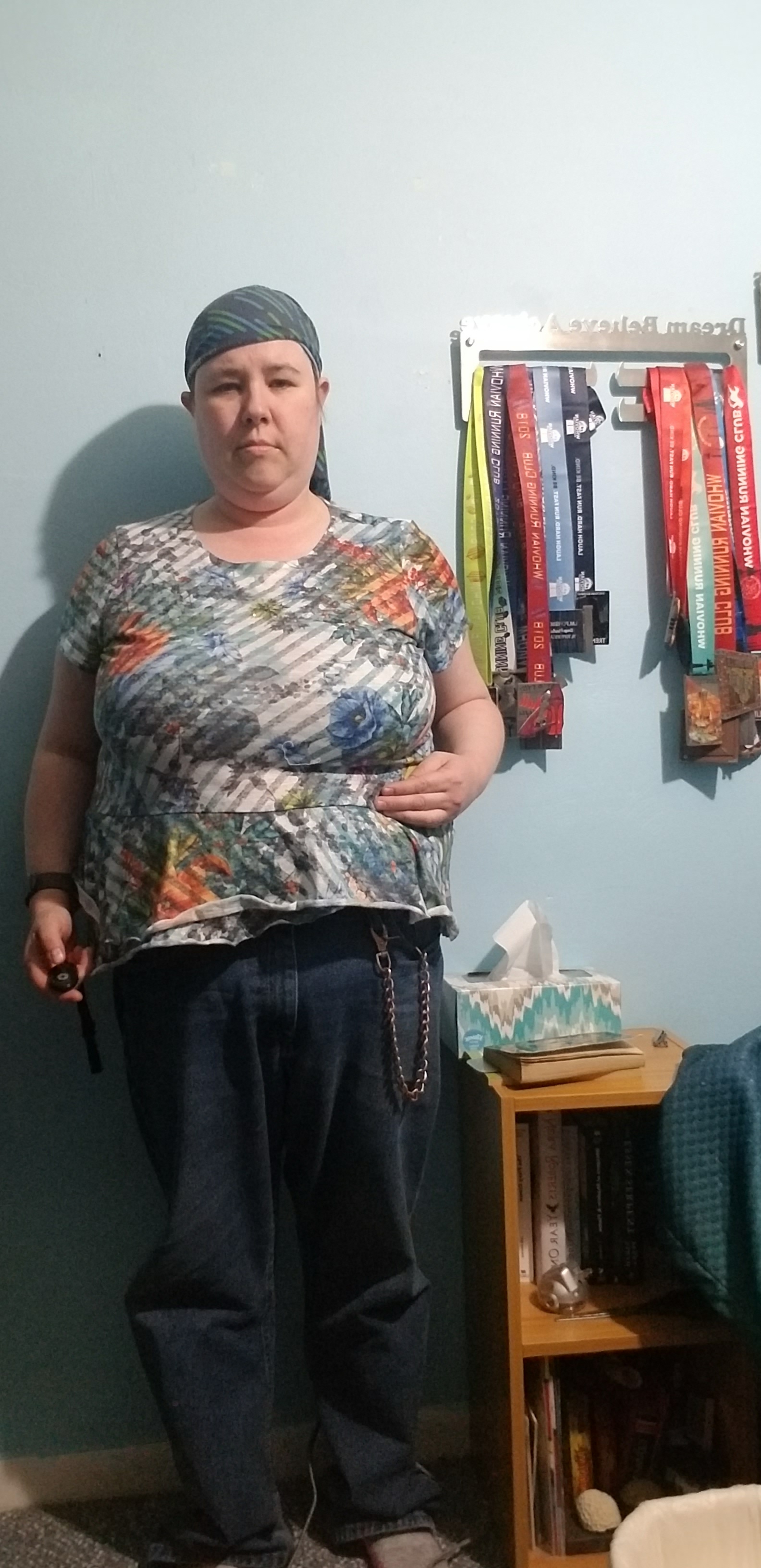
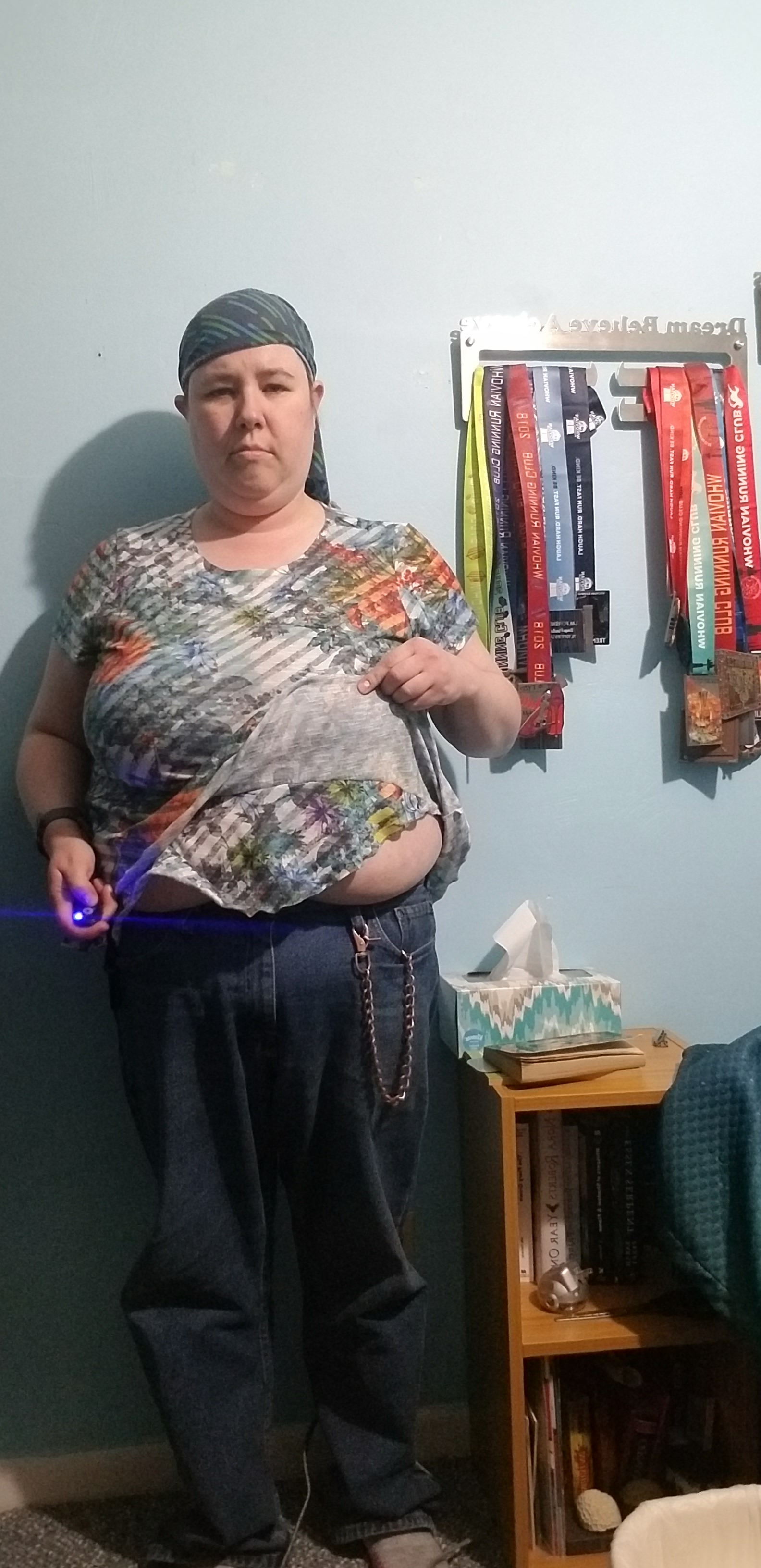
Oh, and speaking of shirts fitting differently, the layered work shirt I showcased last year, complete with me demonstrating once again where on my torso the seam between layers rests and how much of my belly is exposed by the innermost layer:
I had to search my closet for this exact shirt just so I could have the consistency of showing where on my body that seam rests and how much of my belly shows when I lift the bottom. Sad to say clothing does stretch out after a while, from repeated use and washing (thus the new Woxers being “in the hopes I can wear a smaller size” and not “because I can wear a smaller size”), and we are talking about a shirt I’ve worn probably close to once every two weeks over the course of the last year… but I’m inclined to think that, in addition to that particular problem, this is also the most visible sign of a change in my body shape.
I think I said last year that the reason for the demonstration was my sensory disorder–the one thing I don’t like about these layered shirts is that it feels alternately like the inside layer (showing off a small part of my belly) is all that I’m wearing or that the seam is the bottom of the shirt (like I’m wearing a crop top and not a shirt). One of my weight loss goals was getting both inside layer and seam lower on my body to counteract both of those sensations.
Also I once hauled a Queen size memory foam bed-in-a-box (those things are about 50 pounds) from the floor to a chest-level shelf with little more thought than “I’m going to see if I can lift this before I ask for help.” (Note, don’t do this. I was able to lift it but for safety reasons it’s not something I should be in the habit of doing.)
This year’s goal: same.
I actually find it kind of funny that I started the project last year with recording fitness games for YouTube expecting to just do it for a year… but somewhere along the lines I started talking about what sort of changes I could make in recording options once I could afford better equipment, and it wasn’t until after whichever post I said that that I realized I was treating it as an ongoing project.
Last year’s goal: write more fiction.
Didn’t touch it at all. I just didn’t. Not my originals, not my fanfics. I thought about it several times, then either let myself get distracted by social media or decided that getting in a workout and attempting to update my channel quasi-regularly was higher priority.
I’ve said before, I missed the era of Blackberries with slide-out keyboards. I did a much better job keeping on the drafts when I had a keyboard to go with my phone–I could write on my lunchbreak without relying on the typo city that is a virtual keyboard–but I think a phone that’s designed with a lot of writing in mind would be far better than trying find (and subsequently store) an external bluetooth keyboard for the purpose. Though after that time that my phone got really, really slow I kind of stopped trusting it for anything as important as writing and just decided to use it to make my way through the to-read pile (when I’m not getting distracted by social media, of course).
This year’s goal: same.
Last year’s goal: declutter the house. (Or at least my room.)
Meh, the ongoing nature of this one means I sort of managed to accomplish it. I did, for instance, get my room reorganized for VR purposes, going from my bed being in the middle of the floor to everything surrounding the perimeter. And all the books remaining on my read-and-redonate pile are on shelves (or the secondary desk) rather than in piles on my dresser. (Signed book for keeping are also on shelves, but on a unit that’s been shoved into the closet. Further decluttering would allow me to move that back out into the bedroom proper.)
But there’s more to be done. While a Murphy bed is still a change I’d like to make, I almost feel like getting to the point where I can get rid of that extra desk (and shove my platform bed into that corner) would be easier, but that’s obviously going to require clearing all of those books and other things off of the desk.
Any bets on whether I accomplish that before or after I get a new computer?
As before, the curious can checkout both my Goodreads and Bookcrossing profiles to see my progress on the read-and-redonate side of things.
How about you, my readers? Have you met any of your goals for the last year? Made any for this year?
Suggested products in use, Amazon Affiliate links included where possible:
Drop what I owe on my student loan to below $22,500.
Drop what I owe on my car loan to below $15,000.
Save at least $4000 in my checking account.
Convert said checking account from a Kasasa Tunes account (up to $10 cash back per month for purchases on Amazon, iTunes, etc) to a Kasasa Cash account (an interest-bearing account with no upper limit on my rewards). Based on the rates at my local credit union, I’ve calculated that the account must have shy of $4,000 at minimum for the interest to exceed the $10 monthly reward on the Tunes account, thus the previous goal.
Switch all of my monthly subscriptions over to the card used to earn Kasasa rewards (so as to meet the requirements for the previous goal without going out of my way to make extra purchases for the purpose) and start contributing to the people I follow on sites like Patreon.




 Side Quest Publications